research notes
GPS-geomancy… or GPSmancy? 87
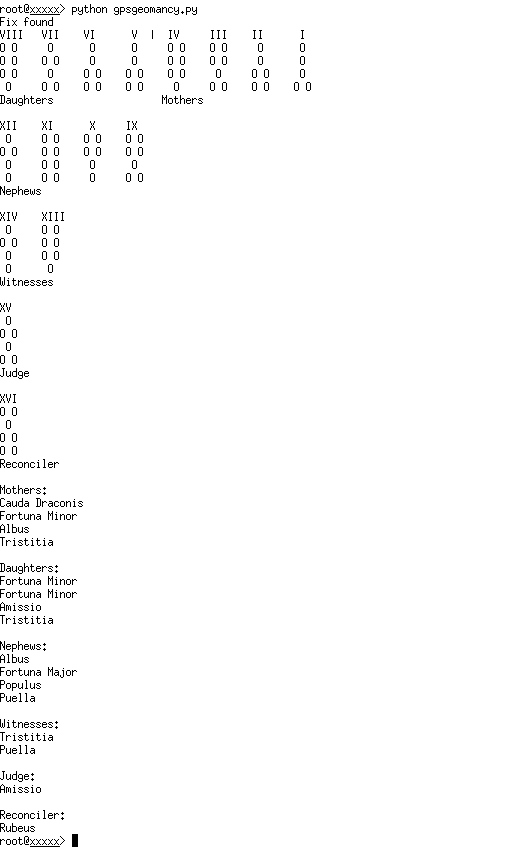
Rough sketch attempting to derive the 16 classical figures of divinatory geomancy from the positions of GPS satellites in the sky. The idea was suggested by Nik Gaffney and elaborated by Daniel Belasco Rogers (many thanks) with final derivations by Martin Howse. Python code below:
#!/usr/bin/env python
# -*- coding: utf-8 -*-

"""gpsgeomancy.py
2015/02/05 14:29:53

Take an attached GPS (serial) and get the satellite positions and
data from the NMEA GSV sentences. Find four suitable data sets
(satellites) that correspond to the cardinal directions (North,
South, East, West) and return their data.

Geomantic divination information from Stephen Skinner "Terrestrial
Astronomy - Divination by Geomancy" (the asterisks are the
'reading' - they can be two dots or one):

      Earth    Water    Air     Fire
       IV       III     II       I
head   **        *      **       *
neck   **        *      **       *
body   *         *      *        **
feet   *         **     **       **
      West     North    East    South

Suggested correspondence between these categories and the GPS data
from the NMEA sentences. The satellites corresponding to the
cardinal points / elements are chosen by their closeness to the
azimuths (N=0, E=90, S=180, W=270) and then their signal to noise
(SNR) and then if necessary their elevation (closer to 45 wins?)

     West     North    East    South
prn    **        *      **       *
ele    **        *      **       *
azi    *         *      *        **
snr    *         **     **       **

Two stars could be even numbers, one star odd.

The default location of the GPS is /dev/ttyUSB0 but you can change
this with the -p (--port) option. The default baud rate for the GPS
is 4800 but you can change this with the -b (--baud) option. Garmin
etrex and similar tend to be on ttyUSB0 at 4800 but the dataloggers
can be on ttyACM0 and they are all 115200 baud.

Copyright 2015 Daniel Belasco Rogers danbelasco@yahoo.co.uk

This program is free software; you can redistribute it and/or modify
it under the terms of the GNU General Public License as published by
the Free Software Foundation; either version 2 of the License, or (at
your option) any later version.

This program is distributed in the hope that it will be useful, but
WITHOUT ANY WARRANTY; without even the implied warranty of
MERCHANTABILITY or FITNESS FOR A PARTICULAR PURPOSE. See the GNU
General Public License for more details.

You should have received a copy of the GNU General Public License
along with this program; if not, write to the Free Software
Foundation, Inc., 51 Franklin Street, Fifth Floor, Boston, MA
02110-1301 USA.
"""

import sys
import argparse
from pprint import pprint
try:
    import serial
except ImportError:
    print """Please install pySerial:
sudo apt-get install python-serial"""
    sys.exit(2)

# dict for figures
figdict={'0010': ['Puer','Mars','Fire','Aries','+'], '0101': ['Amissio','Venus','Earth','Taurus','-'], '1101': ['Albus','Mercury','Air','Gemini','-'], '1111': ['Populus','Moon','Water','Cancer','-'], '1100': ['Fortuna Major','Sun','Fire','Leo','+'], '1001': ['Conjunctio','Mercury','Earth','Virgo','+'], '0100': ['Puella','Venus','Air','Libra','+'], '1011': ['Rubeus','Mars','Water','Scorpio','-'], '1010': ['Acquisitio','Jupiter','Fire','Sagitarrius','+'], '0110': ['Carcer','Saturn','Earth','Capricorn','+'], '1110': ['Tristitia','Saturn','Air','Aquarius','-'], '0111': ['Laetitia','Jupiter','Water','Pisces','-'], '0001': ['Cauda Draconis','Saturn & Mars','Fire','Scorpio','-'], '1000': ['Caput Draconis',' Jupiter & Venus','Earth','Capricorn','+'], '0011': ['Fortuna Minor','Sun','Fire','Leo','-'], '0000': ['Via','Moon','Water','Cancer','+']}

def parse_arguments():
    parser = argparse.ArgumentParser(description='Geomancy with GPS satellite positions')
    parser.add_argument('-v', '--verbose',
                        help="Print verbose outputs to screen (intermediate selections etc.)",
                        action='store_true',
                        default=False)
    parser.add_argument('-b', '--baud',
                        help="Set the baud rate for the GPS. Default is 4800",
                        default=4800)
    parser.add_argument('-p', '--port',
                        help="Address of the GPS. Default is /dev/ttyUSB0",
                        default="/dev/ttyUSB0")
    return parser.parse_args()


def connectgps(port, baud):
    """
    Connects to a GPS at address passed by port at the rate defined
    by baud and handles simple exception

    """
    try:
        gps = serial.Serial(port, baud, timeout=1)
    except serial.SerialException:
        print """
Could not open port %s,
is the GPS plugged in and turned on?
""" % port
        sys.exit(2)
    return gps


def waitforfix(gps, verbose):
    """
    Examine the RMC sentence to see if the gps has a fix. This
    shows up as an 'A' in the second field after the header.

    $GPRMC,123519,A,4807.038,N,01131.000,E,022.4,084.4,230394,003.1,W*6A

    Where:
     RMC          Recommended Minimum sentence C
     123519       Fix taken at 12:35:19 UTC
     A            Status A=active or V=Void.
     4807.038,N   Latitude 48 deg 07.038' N
     01131.000,E  Longitude 11 deg 31.000' E
     022.4        Speed over the ground in knots
     084.4        Track angle in degrees True
     230394       Date - 23rd of March 1994
     003.1,W      Magnetic Variation
     *6A          The checksum data, always begins with *

    """
    alert_interval = 8  # number of seconds to wait between
                        # alerting the user there is no fix
    interval_count = 0
    while 1:
        try:
            line = gps.readline()
            if line.startswith('$GPRMC'):
                interval_count += 1
                line = formatline(line, verbose)

                # formatline performs checksum and returns None if
                # it fails
                if line is None:
                    continue

                if interval_count % alert_interval == 0:
                    print "No GPS fix yet..."

                if line[2] == 'A':
                    print "Fix found"
                    return

        except KeyboardInterrupt:
            # user sent ctrl-c to stop script
            gps.close()
            print """
user interrupt, shutting down"""
            sys.exit()


def checksum(data):
    """
    checksum(data) -> str Calculates the XOR checksum over the
    sentence (as a string, not including the leading '$' or the
    final 3 characters, the ',' and checksum itself).

    """
    checksum = 0
    for character in data:
        checksum = checksum ^ ord(character)
        hex_checksum = "%02x" % checksum
    return hex_checksum.upper()


def formatline(line, verbose):
    """
    Preformats NMEA sentences. Performs checksum to make sure the
    sentence has been recieved as it should. Returns a list of
    values without checksum and without carriage returns
    """
    line.strip()

    # lose carriage returns
    if line.endswith('\r\n'):
        line = line[:len(line) - 2]

    # validate
    star = line.rfind('*')
    if star >= 0:
        check = line[star + 1:]
        line = line[1:star]
        sum = checksum(line)
        if sum != check:
            if verbose:
                print "failed checksum"
            return None
    else:
        if verbose:
            print "no checksum"
        return None

    # lose checksum now we've validated it
    line = line[2:]

    # create a list of all elements in sentence
    line = line.split(',')
    return line


def parseGSV(line, gps, verbose):
    """
    The first part of decoding the GSV sentences. This function
    makes sure that all GSV sentences are fetched in one list of
    lists.

    GSV sentences:
    $GPGSV,3,1,12,01,80,283,20,32,77,227,18,11,72,175,19,20,42,247,25*79
    $GPGSV,3,2,12,14,35,055,15,19,23,174,28,17,19,318,26,28,15,281,15*7C
    $GPGSV,3,3,12,22,11,068,17,23,05,194,,31,04,113,,36,,,*4A

    Output:

    """
    gsvlist = [line]
    num_of_sentences = int(line[1])
    if verbose:
        print "sentences: %d\tsatellites: %s" % (num_of_sentences, line[3])

    # number of GSV sentences vary. Fetch them all before
    # parsing the values
    for sentence in range(num_of_sentences - 1):
        line = gps.readline()
        line = formatline(line, verbose)
        gsvlist.append(line)

    return gsvlist


def formatgsvlist(gsvlist):
    """
    """

    formattedgsv = []

    for sentence in gsvlist:

        # ignore first 4 items (This is the header, number of
        # sentences, sentence number and number of satellites and
        # so not necessary for us at this point)
        sentence = sentence[4:]

        # Replace empty fields with 0 if there is no data
        for item in sentence:
            if item == '':
                item = 0
            formattedgsv.append(int(item))

    return formattedgsv


def makesatdict(gsvlist):
    """
    makes a dictionary with prn as a key and values as a list e.g.
    prn:[ele, azi, snr]
    """
    satdict = {}

    for item in range(0, len(gsvlist), 4):
        satdict[gsvlist[item]] = [gsvlist[item + 1],
                                  gsvlist[item + 2],
                                  gsvlist[item + 3]]

    return satdict


def directionclassify(satdict):
    """
    Appends compass direction onto end of list for each satellite.
    Also appends a 'score' of how near the satellite is to the
    cardinal point, which is the number of degrees away from the
    due cardinal points (N=0, E=90, S=180, W=270)

    Sample output
    {2: [7, 132, 16, 'East', 42],
     6: [19, 94, 27, 'East', 4],
     12: [70, 259, 29, 'West', 11],
     14: [28, 312, 31, 'West', 42],
     15: [16, 187, 32, 'South', 7],
     17: [24, 46, 25, 'East', 44],
     22: [4, 280, 0, 'West', 10],
     24: [77, 150, 50, 'South', 30],
     25: [29, 255, 32, 'West', 15],
     32: [4, 347, 0, 'North', 13],
     39: [28, 165, 46, 'South', 15]}
    """
    for prn in satdict:
        azi = satdict[prn][1]
        if azi > 315 or azi < 45:
            satdict[prn].append("North")
            if azi > 180:
                azideviation = 360 - azi
            else:
                azideviation = azi
            satdict[prn].append(azideviation)
        if azi > 45 and azi < 135:
            satdict[prn].append("East")
            azideviation = abs(azi - 90)
            satdict[prn].append(azideviation)
        if azi > 135 and azi < 225:
            satdict[prn].append("South")
            azideviation = abs(azi - 180)
            satdict[prn].append(azideviation)
        if azi > 225 and azi < 315:
            satdict[prn].append("West")
            azideviation = abs(azi - 270)
            satdict[prn].append(azideviation)

    return satdict


def selectsats(satdict):
    """Choose four satellites to form the reading based on the
    following criteria, applied in order:

    1. Closeness of satellite to the azimuth of the direction based
    on azideviation score from directionclassify

    2. Signal to noise (highest number wins)

    """
    chosenfour = {}

    for prn in satdict:
        direction = satdict[prn][3]
        aziscore = satdict[prn][4]
        if direction in chosenfour:  # if the key is already in the dict
            # select by lowest azi deviation
            if aziscore < chosenfour[direction][4]:
                chosenfour[direction] = [prn,
                                         satdict[prn][0],
                                         satdict[prn][1],
                                         satdict[prn][2],
                                         aziscore]
            # in the unlikely case that two satellites share the same azi
            elif aziscore == chosenfour[direction][4]:
                # select by highest snr
                if satdict[prn][2] > chosenfour[prn][3]:
                    chosenfour[direction] = [prn,
                                             satdict[prn][0],
                                             satdict[prn][1],
                                             satdict[prn][2],
                                             aziscore]
        else:
            chosenfour[direction] = [prn,
                                     satdict[prn][0],
                                     satdict[prn][1],
                                     satdict[prn][2],
                                     aziscore]

    return chosenfour


def getsatellites(gps, verbose):
    """
    main reiterating loop which reads the incoming nmea sentences
    from the gps, sends to parser and catches user interrupt:
    ctrl-c
    """
    gsvlist = []
    while gsvlist == []:
        try:
            line = gps.readline()
            if line.startswith('$GPGSV'):
                line = formatline(line, verbose)

                # formatline performs checksum and returns None if
                # it fails
                if line is None:
                    break

                gsvlist = parseGSV(line, gps, verbose)
                gsvlist = formatgsvlist(gsvlist)

                return gsvlist

        except KeyboardInterrupt:
            # user sent ctrl-c to stop script
            gps.close()
            print """
user interrupt, shutting down"""
            sys.exit()


def inttodot(integer):
    """
    Convert an integer to divination dots, two dots if the integer
    is even, one if odd, two if zero

    Takes an integer argument, returns a string of two dotchars or
    one

    """
    dotchar = "*"
    if integer % 2 == 0:
        dot = dotchar * 2
    else:
        dot = dotchar + " "  # The addition of a space helps the
                             # final diagram line up

    return dot

def oddoreven(integer):
    if integer % 2 == 0:
        dot = 1
    else:
        dot = 0
    return dot

def domothers(chosenfour):
    """ Append binary representation 0 as O/odd, 1 as OO/even
    """
    motherlist=[]
    for elemental in ["South", "East", "North", "West"]:
        binrep=[]
        for body in range(4):
            binrep.append(oddoreven(chosenfour[elemental][body]))
        motherlist.append(binrep)
    return motherlist

def dodaughters(motherlist):
    daughterlist=[]
    body=zip(*motherlist)
    for parts in body:
        daughterlist.append(parts)
    return daughterlist

def madd(x,y):
    return int(not(x ^ y))

def donephews(mlist,dlist):
    nlist=[]
    nlist.append([madd(mlist[0][0],mlist[1][0]),madd(mlist[0][1],mlist[1][1]),madd(mlist[0][2],mlist[1][2]),madd(mlist[0][3],mlist[1][3])])
    nlist.append([madd(mlist[2][0],mlist[3][0]),madd(mlist[2][1],mlist[3][1]),madd(mlist[2][2],mlist[3][2]),madd(mlist[2][3],mlist[3][3])])
    nlist.append([madd(dlist[0][0],dlist[1][0]),madd(dlist[0][1],dlist[1][1]),madd(dlist[0][2],dlist[1][2]),madd(dlist[0][3],dlist[1][3])])
    nlist.append([madd(dlist[2][0],dlist[3][0]),madd(dlist[2][1],dlist[3][1]),madd(dlist[2][2],dlist[3][2]),madd(dlist[2][3],dlist[3][3])])
    return nlist

def dowitnesses(nlist):
    wlist=[]
    wlist.append([madd(nlist[0][0],nlist[1][0]),madd(nlist[0][1],nlist[1][1]),madd(nlist[0][2],nlist[1][2]),madd(nlist[0][3],nlist[1][3])])
    wlist.append([madd(nlist[2][0],nlist[3][0]),madd(nlist[2][1],nlist[3][1]),madd(nlist[2][2],nlist[3][2]),madd(nlist[2][3],nlist[3][3])])
    return wlist

def dojudge(wlist):
    jlist=[]
    jlist.append([madd(wlist[0][0],wlist[1][0]),madd(wlist[0][1],wlist[1][1]),madd(wlist[0][2],wlist[1][2]),madd(wlist[0][3],wlist[1][3])])
    return jlist

def dorec(jlist,mlist):
    rlist=[]
    rlist.append([madd(mlist[0][0],jlist[0][0]),madd(mlist[0][1],jlist[0][1]),madd(mlist[0][2],jlist[0][2]),madd(mlist[0][3],jlist[0][3])])
    return rlist

def preparemothers(chosenfour):
    """Turn the data from the four chosen satellites into the mothers
    diagram.

     West     North    East    South
prn    **        *      **       *
ele    **        *      **       *
azi    *         *      *        **
snr    *         **     **       **

    Earth    Water    Air     Fire
       IV       III     II       I
head   **        *      **       *
neck   **        *      **       *
body   *         *      *        **
feet   *         **     **       **
      West     North    East    South

    """
    spacer = "      "
    EOL = "\n"
    motherstring = """       Earth    Water    Air     Fire
        IV       III     II       I""" + EOL

    head = "head" + spacer
    neck = "neck" + spacer
    body = "body" + spacer
    feet = "feet" + spacer

    for d in ["West", "North", "East", "South"]:
        head += inttodot(chosenfour[d][0]) + spacer
        neck += inttodot(chosenfour[d][1]) + spacer
        body += inttodot(chosenfour[d][2]) + spacer
        feet += inttodot(chosenfour[d][3]) + spacer

    motherstring += head + EOL
    motherstring += neck + EOL
    motherstring += body + EOL
    motherstring += feet + EOL
    motherstring += "       West     North    East    South"

    return motherstring

def drawit(listere):
    """ run thru list and print whole list line by line"""
    # must reverse listy
    listy=list(listere)
    listy.reverse()
    body=zip(*listy)
    for parts in body:
        for part in parts:
            if part==1:
                print "O O   ",
            else:
                print " O    ",
        print

def lookfig(figure):
    # convert list to string
    key=''.join(str(e) for e in figure)
    return figdict[key][0]

def main():
    """
    """
    args = parse_arguments()
    gps = connectgps(args.port, args.baud)
    waitforfix(gps, args.verbose)
    satellitepositions = getsatellites(gps, args.verbose)

    # classify satellites as compass directions
    satdict = makesatdict(satellitepositions)
    satdict = directionclassify(satdict)
    if args.verbose:
        print
        print "List of satellites found"
        print "prn: [elevation, azimuth, signal to noise,\
 direction, deviation from azi]"
        pprint(satdict)

    # choose four satellites (see function for criteria)
    chosenfour = selectsats(satdict)
    if args.verbose:
        print
        print "List of chosen satellites"
        print "direction: [prn, elevation, azimuth,\
 signal to noise, deviation from azi]"
        pprint(chosenfour)

    # need intermediate format/list of 0/1 to go from mothers/chosenfour as 1 or 2 dots/or binary0/1 [0-3] to daughters/4 // not xor
    #chosenfour={'East': [39, 65, 90, 0, 0], 'North': [4, 3, 24, 34, 24], 'South': [13, 52, 155, 23, 25], 'West': [24, 38, 278, 0, 8]}
    #but as list of lists so can index SENW -as 1,2,3,4
    mlist=domothers(chosenfour)
    if args.verbose:
        pprint(mlist)
    dlist=dodaughters(mlist)
    if args.verbose:
        pprint(dlist)
    nlist=donephews(mlist,dlist)
    if args.verbose:
        pprint(nlist)
    wlist=dowitnesses(nlist)
    if args.verbose:
        pprint(wlist)
    jlist=dojudge(wlist)
    if args.verbose:
        pprint(jlist)
    rlist=dorec(jlist,mlist)
    if args.verbose:
        pprint(rlist)

    # layout is right to left D M//nephews
    # witnesses// judge// reconciler

    print "VIII   VII    VI      V  |  IV     III    II      I"
    drawit(mlist+dlist)
    print "Daughters                  Mothers"
    print
    print "XII    XI      X     IX"
    drawit(nlist)
    print "Nephews"
    print
    print "XIV    XIII"
    drawit(wlist)
    print "Witnesses"
    print
    print "XV"
    drawit(jlist)
    print "Judge"
    print
    print "XVI"
    drawit(rlist)
    print "Reconciler"
    print
    # classify
    print "Mothers:"
    for figures in mlist:
        print(lookfig(figures))
    print
    print "Daughters:"
    for figures in dlist:
        print(lookfig(figures))
    print
    print "Nephews:"
    for figures in nlist:
        print(lookfig(figures))
    print
    print "Witnesses:"
    for figures in wlist:
        print(lookfig(figures))
    print
    print "Judge:"
    for figures in jlist:
        print(lookfig(figures))
    print
    print "Reconciler:"
    for figures in rlist:
        print(lookfig(figures))

if __name__ == '__main__':
    sys.exit(main())
CPU self starvation. 86

Small code/hardware experiment with self-starvation of a CPU (Central Processing Unit) or microcontroller - the CPU slowly reduces its own power supply until the system becomes unstable (also feeding back on the instability of that control signal) and is rebooted once the CPU has ceased to run. What you hear is the reducing voltage (PWM) across successive reboots.
The microcontroller in this case is a simple ATmega8 running at 12 MHz. In order to power up the microcontroller in the first instance (bootstrapping) we use a 4066 switch for the power supply. Once the micro starts running it switches over to its own controlled power supply (PWM with LM358 low pass filter). The voltage/pulse width is then slowly reduced and the micro becomes more nd more unstable. As soon as the micro powers down, the 4066 switches power back to the micro which then starts this repeated process again.
Audio
Code
#define F_CPU 12000000UL  // 12 MHz
#include <avr/io.h>
#include <stdio.h>
#include <inttypes.h>
#include <avr/delay.h>

/* compile/upload:

- avr-gcc -g -Os -mmcu=atmega8 -c testc.c
- avr-gcc -g -mmcu=atmega8 -o test.elf testc.o
- avr-objcopy -j .text -j .data -O ihex test.elf test.hex
- avrdude -c usbasp -p m8 -U lfuse:w:0xFF:m -U hfuse:w:0xDF:m
- avrdude -c usbasp -p m8 -U test.hex

*/

int main(void)
{
  int a;
    DDRB |= _BV(PB1); // PIN 15!
    DDRC=0x01;
    PORTC=0x01;
    TCCR1A = (1<<WGM11) | (1<<WGM10) | (1<<COM1A1);
    TCCR1B = (1<<CS10);

    a = 1023;
    OCR1A = a;
    _delay_ms(1000); // power off
    PORTC=0x00;
    while(1){
      a--;
      if (a<0) a=1023;
      OCR1A = a;
      _delay_ms(10);
    }
    return 0;
}
Playback HOWTO. 85
1] Laser playback head.

Taking a while to perfect, but now settling on simple adjustment (glued to protractor body), and easy circuit based on the BPW34 small, square photodiode which is cheap and readily available.
The circuit:
Anode of the BPW is towards the wider part marked with a line [bottom of image below] which is oriented here to GND. The circuit is very much standard, following many similar circuits based on the LM358 op-amp.


[as above but I just use one photodiode and the first LM358 into the mixer.]
Assembly:
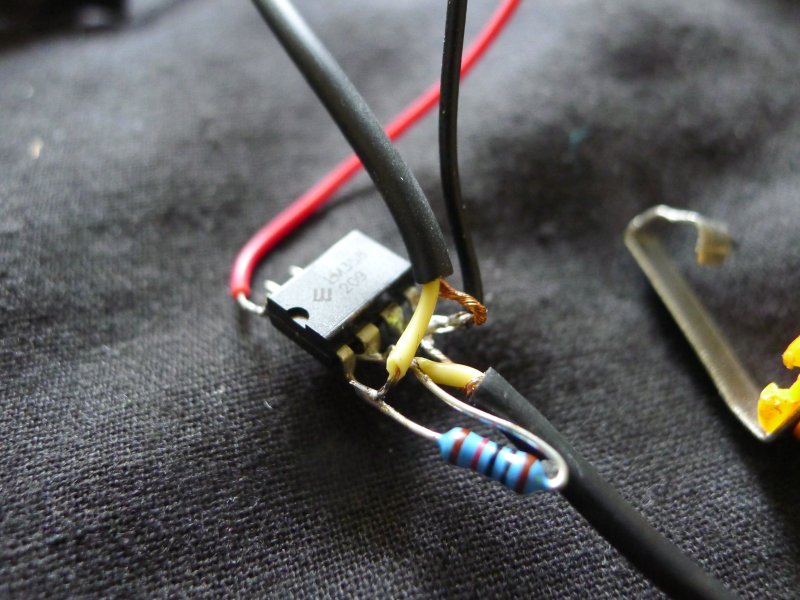
The circuit is assembled free-hand, without any board, as there are very few parts.

A simple metal protractor body is used as base, allowing for easy angle adjustment. The small red laser pointer(salvaged, hence the voluminous circuitry), is hotglued top right, and beam directed through a small plastic lens glued to the end of a tube. On the other protractor arm is the pen tube within which the photodiode will sit (at the end).
Parts: 1x BPW34 photodiode, 1x LM358 op-amp, 1x 10K resistor, 9V battery clip and battery, 6.5mm JACK socket.
Playback:
The playback head is clamped and fixed in position above the vinyl or concrete platter.
2] FM radio transmitter playback head.
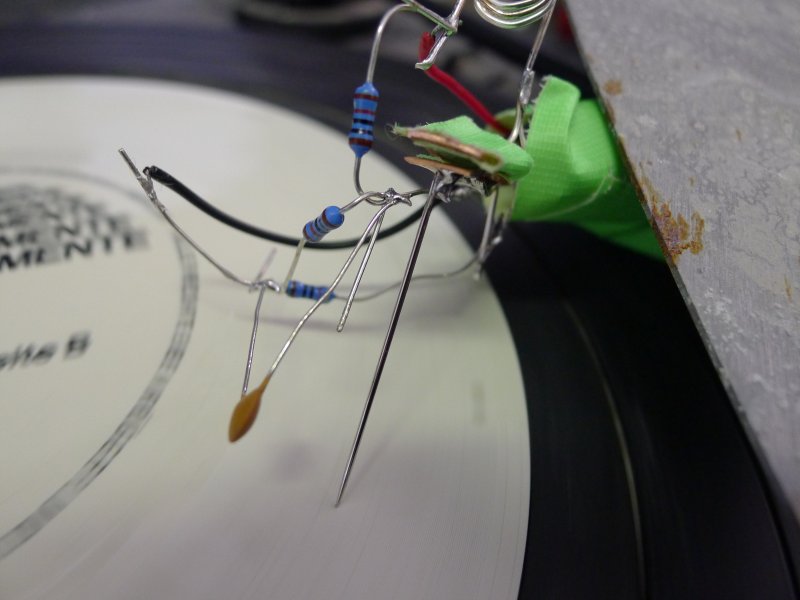
Again, devised around 2010 as plague/stone scratcher (see below), and now documenting. The FM transmitter playback head combines record needle-style playback of vinyl, stone, concrete and any material with modifications to a very simple FM transmitter. The playback sound can be picked up by any FM radio placed nearby. Multiple transmitter heads push, shift, merge and compete across the frequency band.
The circuit:
Based on the the classic Kogawa-one-transistor-transmitter, the FM head replaces the fixed capacitor (with the coil determining transmission frequency) with a changing capacitance - in this case two small copper plates, one of which is free to move and with pickup sewing needle soldered on one side. Vibrations are translated directly into changes in frequency.

Assembly:

Again, assembled freehand, the two small copper plates are soldered last, finally the needle attached. A small piece of gaffer tape is placed between the two plates to prevent these from touching.
Parts: BC547B transistor, 2x 10K resistors, 1x 470 Ohm/R resistor, 1 nF capacitor, thin sewing needle, 2x copper plates 0.5mm thick approx and 3mmx10mm, 9v battery clip and battery.
Core memory (ferrite) revisited. 84

After an earlier mis-understanding of the "core" theory which nevertheless seemed to work (see below), and after a failed attempt to implement a working core memory in Copenhagen during Pitch Drop (for conceptual background see file:../tombic.pdf … finally a reliable working single bit following https://sites.google.com/site/wayneholder/one-bit-ferrite-core-memory almost to the letter. But we do away with the two 10 ohm resistors on the two inputs into the coil XY as we are using a 1 Amp supply.
A single core:

Memory in action:

Here we see in the third trace the zero being read back (no pulse).
worm poetry 83
# altered for earthboot serial stream

# for worm crypt - re-do also based on word probabilities...

from nltk import *
import random
import time
import serial
import sys,pickle

def storepickle(dc):
    out = open("death_tagged.pickle", 'wb')
    pickle.dump(dc, out)
    out.close()

def recallpickle():
    out = open("death_tagged.pickle", 'rb')
    dc=pickle.load(out)
    out.close()
    return dc


f = open("/root/collect2012-3/worm/death_strip1")
cry = f.read()
m=[y.lower() for y in cry]
uf=FreqDist(l for l in m)
up=DictionaryProbDist(uf,normalize=True)
bm=NgramModel(2,m)

def genereate(dct,model,letter,n):
    probb=[]
    result=''
    total=''
    line=''
    for x in range(n):
        for l in dct.samples():
            prob=model.prob(l,letter)
            probb.append((prob,l))
        probb.sort()
        probb.reverse()
#        while len(line)<3:
        line = ser.read(1)
#        numm = int(line)/1000
        numm = ord(line)/25
        if numm>=len(probb):
            numm=len(probb)-1;
#        print numm
        letter=probb[random.randint(0,numm)][1]
        result=result+letter
#        total=total+letter
        probb=[]
        if letter==' ':
            print result[0:-1],
            result=''
#            time.sleep(1)
        f.write("%s" % letter)

#    print "\r\nSaving to '%s_results.txt'" % inpt
    f.close()

inpt=time.time()
f = file("%s_results.txt" % inpt, 'w')
ser = serial.Serial('/dev/ttyACM0', 9600, timeout=1)
#seedletter = up.samples()[random.randint(0,len(up.samples())-1)]
seedletter='e'
#print "seedletter %c" % seedletter
genereate(up,bm,seedletter,10000)
Text as executable 82
for: diana (now latest threaded version as of 2nd October 2013)
# using POS (part of speech tag as instruction and frequency code as operand)

import nltk, random

train_txt = open('/root/collect2012-3/diana/documents/paget2.txt').read()
#train_txt = open("death_strip1").read()
#train_txt = open("deathex").read()
#train_txt = open("wounds/crashwounds").read()
#train_txt = open("crash.txt").read()
train_sens = nltk.sent_tokenize(train_txt)
train_txt = []
for sen in train_sens:
        train_txt += nltk.pos_tag(nltk.word_tokenize(sen))

xx=[]
inc=0
fdist1 = nltk.FreqDist(train_txt)
mm = {}

for word in train_txt:
    xx.append((word, fdist1[word]))
    if not(word[1] in mm): # key
            mm[word[1]] = [(word[0],word[1])]
    else:
            mm[word[1]].append((word[0], word[1]))

# map part of speech to instruction/number - dictionary

instructionlist=[]
for elements in xx:
        if elements[0][1] not in instructionlist:
                instructionlist.append(elements[0][1])
#print instructionlist
x=0

# how can we handle threads? as a list parsed from the beginning?
# and each thread with IP, local register and a (leaking) stack

threads=[]
ip=[]
stack=[]
register=[]

sent=[]
for elements in xx:
        sent.append(elements)
        if elements[0][0]==".":
                threads.append(sent)
                sent=[]
                ip.append(0)
                stack.append([])
                register.append(0)

# execute these - look up instruction, execute with operand, move instruction pointer
# how far to go in execution - have a word stack?

xxx=1

while xxx:
        #some leakage in stacks
        if random.randint(0,10)==1:
                # leak one stack into another
                fro=random.randint(0,len(threads)-1)
                too=random.randint(0,len(threads)-1)
                if len(stack[fro])>0 and too !=fro:
                        stack[too].append(stack[fro].pop())

        for thread in threads:
                x=threads.index(thread)
                lenny=len(thread)
                ip[x]=ip[x]+1
                if ip[x]>=lenny: ip[x]=0
                IP=ip[x]
                opcode=instructionlist.index(thread[IP][0][1])
                operand=thread[IP][1]
                opcode=opcode%11
#               print thread[IP][0][0], # print the word

                opcode=instructionlist.index(thread[IP][0][1])
                operand=thread[IP][1]
#       print "instruction %s operand %s" % (opcode,operand)
                opcode=opcode%13
#               print thread[IP][0][0], # print the word
                if   opcode == 0: #x=1 do nothing
                # change to print word AT register address
        #               x=1
                        print thread[register[x]%lenny][0][0],
                if   opcode == 1:
                        which = operand %3
                        if which == 0:
                                newword = random.choice(mm[thread[IP][0][1]])
                        elif which == 1:
                                newword = mm[thread[IP][0][1]][operand%len(mm[thread[IP][0][1]])]
                        elif which ==2:
                                # change POS
                                newword = random.choice(random.choice(mm.values()))
#                               print newword
                        thread[IP]=(newword,fdist1[newword])
                elif opcode == 2: # change prev word
                        newword = random.choice(mm[thread[IP][0][1]]) # choose from POS key
                        where=IP-1
                        if where<0: where=0
                        thread[where]=(newword,fdist1[newword])
                elif opcode == 3: # change next word
                        newword = random.choice(mm[thread[IP][0][1]]) # choose from POS key
                        where=IP+1
                        if where==len(thread): where=len(thread)-1
                        thread[where]=(newword,fdist1[newword])
                        IP+=1
                elif opcode == 4:
                        IP=operand%len(thread)
                elif opcode == 5:
                        if register[x]==0:
                                IP=operand%len(thread)
                elif opcode == 6:
                        newword = random.choice(mm[thread[IP][0][1]]) # choose from POS key
                        where=register[x]%lenny
                        thread[where]=(newword,fdist1[newword])
                elif opcode == 7:
                        newword = random.choice(mm[thread[register[x]%lenny][0][1]]) # choose from POS key at register[x]
                        where=IP
                        thread[where]=(newword,fdist1[newword])
                elif opcode == 8:
                        # load register[x] from word at operand
                        register[x]=instructionlist.index(thread[operand%len(thread)][0][1])
                elif opcode == 9:
                        register[x]=(register[x]+instructionlist.index(thread[operand%len(thread)][0][1]))%len(thread)
                elif opcode == 10:
                        register[x]=(register[x]-instructionlist.index(thread[operand%len(thread)][0][1]))%len(thread)
                elif opcode == 11:
#                       print "push"
                        # put word at register on stack
                        forstack=thread[register[x]%lenny][0]
                        stack[x].append(forstack)
                elif opcode == 12:
                        # pop current word from stack onto IP
                        if len(stack[x])>0:
                                offstack=stack[x].pop()
                                thread[IP]=(offstack,fdist1[offstack])
#                               print offstack
process portraits: ptrace crystallisation 81
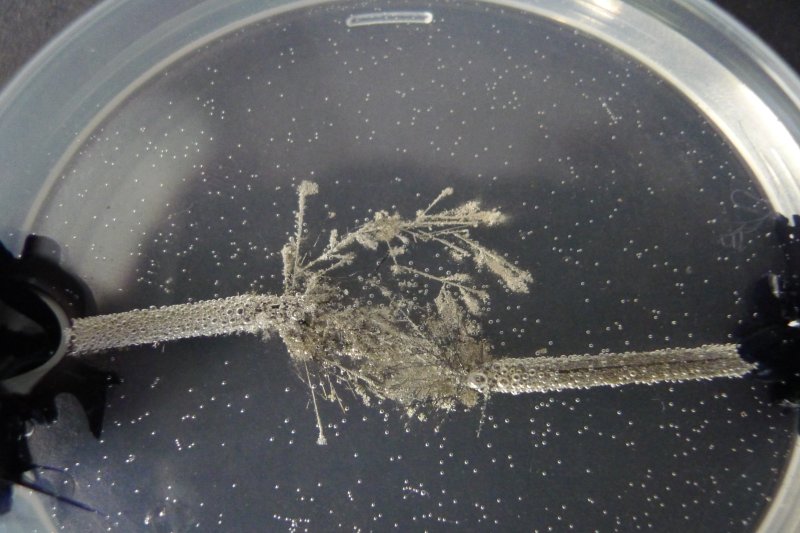
Running firefox machine code steers the formation of silver nitrate crystals between two graphite electrodes!
Using more or less the same ptrace code used in pain registers, driving an Arduino (again running similar code but switching the positive/negative current flow using the L298 driver according to the value of the instruction pointer from ptrace).
worm coding 2 80
worm coding 79
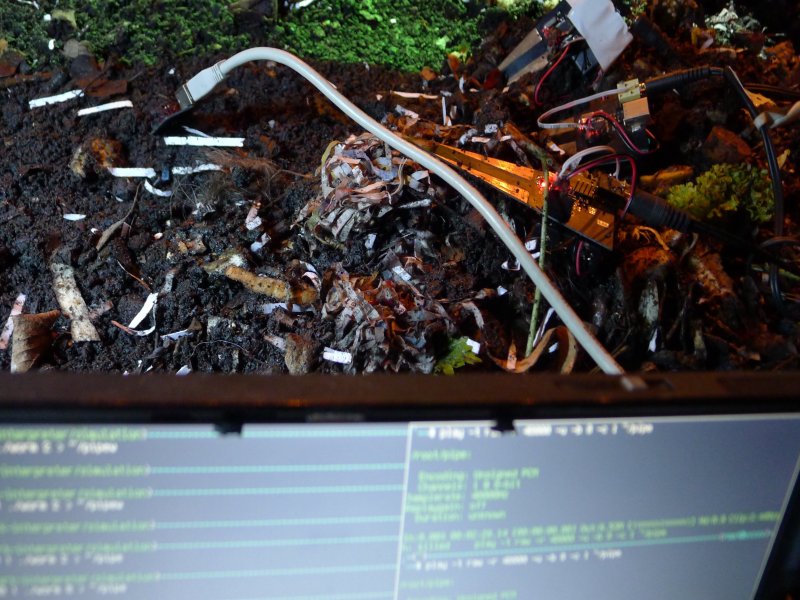
For the ATmega avr32u4 as used in the earthcode project - wormed movements are used shift direction of the instruction pointer worming through a small code set.
With audio output on pin PF5. With thanks to Dave Griffith's spork factory.
#include <avr/io.h>
#include <avr/wdt.h>
#include <avr/power.h>
#include <avr/interrupt.h>
#include <avr/delay.h>
#include <stdlib.h>
#include <string.h>

#define sbi(var, mask)   ((var) |= (uint8_t)(1 << mask))
#define cbi(var, mask)   ((var) &= (uint8_t)~(1 << mask))

volatile unsigned int ll;

ISR(TIMER0_COMPA_vect)
{
  static unsigned int count=0;
  count++;
  if (count>=ll){
    PORTF^=0x20; // toggle
    count=0;
  }
}

#define BLOCK_SIZE 255 // 16*16
#define MAX_THREADS 10

typedef struct {
  int IP;
  int dir;
    } thread;

typedef struct {
  thread *m_threads;
  unsigned char *m_heap;
} machine;

unsigned char machine_peek(const machine* this, unsigned char addr) {
        return this->m_heap[addr%BLOCK_SIZE];
}

void machine_poke(machine* this, unsigned char addr, unsigned char data) {
        this->m_heap[addr%BLOCK_SIZE]=data;
}

void thread_create(thread *this) {
      sbi(ADCSRA, ADSC);
      loop_until_bit_is_set(ADCSRA, ADIF);
      this->IP = ADCH;
      this->dir=1;
}

void tout(thread* this, machine *m){
  ll=machine_peek(m,this->IP);
}

void tinc(thread* this, machine *m){
  unsigned char c=machine_peek(m,this->IP);
  machine_poke(m,this->IP,c+1);
}

void tdec(thread* this, machine *m){
  unsigned char c=machine_peek(m,this->IP);
  machine_poke(m,this->IP,c-1);
}

void tjump(thread* this, machine *m){
  unsigned int x=(this->IP+1)%BLOCK_SIZE;
  unsigned char c=machine_peek(m,x);
  this->IP+=c;
}

void tin(thread* this, machine *m){
  sbi(ADCSRA, ADSC);
  loop_until_bit_is_set(ADCSRA, ADIF);
  unsigned char c= ADCH;
  machine_poke(m,this->IP,c);
}

// additionals->plus,minuc,bitshift,branch?,infect,store,skip,die

void thread_run(thread* this, machine *m) {
  void (*instructionsettry[])(thread * this, machine *m) = {tout, tinc, tdec, tjump, tin};

  sbi(ADCSRA, ADSC);
  loop_until_bit_is_set(ADCSRA, ADIF);
  unsigned char c=ADCH;

    switch(c%4){ // do more on larger changes in c
  case 0:
    this->dir=1;
    break;
  case 1:
    this->dir=-1;
    break;
  case 2:
    this->dir=16;
    break;
  case 3:
    this->dir=-16;
      }
  this->IP+=this->dir;
  if (this->IP<0) this->IP=BLOCK_SIZE-this->IP;
  this->IP%=BLOCK_SIZE;
  unsigned char instr=machine_peek(m,this->IP);

  (*instructionsettry[instr%5]) (this, m);

}

void machine_create(machine *this) {
    this->m_heap = (unsigned char*)malloc(sizeof(unsigned char)*BLOCK_SIZE);
    this->m_threads = (thread*)malloc(sizeof(thread)*MAX_THREADS);

        for (unsigned int n=0; n<MAX_THREADS; n++)
        {
          thread_create(&this->m_threads[n]);
    }

        for (unsigned int n=0; n<BLOCK_SIZE; n++)
        {
                this->m_heap[n]=0;
        }
}


void machine_run(machine* this) {
        for (unsigned int n=0; n<MAX_THREADS; n++) {
                thread_run(&this->m_threads[n],this);
        }
}

void write_mem(machine *m, int *a, unsigned int len) {
    for (unsigned int i=0; i<len; i++) {
        machine_poke(m,i,a[i]);
    }
}

void setupadc(void){

  DDRF=0x00; PORTF=0x00;
  cbi(ADMUX, REFS1);
  sbi(ADMUX, REFS0);
  sbi(ADMUX, MUX0);
  sbi(ADMUX, MUX1);
  cbi(ADMUX, MUX2);
  sbi(ADMUX, MUX3);
  sbi(ADMUX, ADLAR);
  sbi(ADCSRA, ADPS1); // pre-scale of 4
  sbi(ADCSRA, ADPS0);
  sbi(ADCSRA, ADEN);
  sbi(ADCSRB, ADHSM); // high speed
}

int main(void)
{
  unsigned char val;
  MCUSR &= ~(1 << WDRF);
  // turn off jtag pins PF4,5 on header
  MCUCR = (1 << JTD) | (1 << IVCE) | (0 << PUD);
  MCUCR = (1 << JTD) | (0 << IVSEL) | (0 << IVCE) | (0 << PUD);

  wdt_disable();
  clock_prescale_set(clock_div_1);

  // set up interrupt for fake PWM on PF5

  TCCR0A = _BV(WGM01); /* CTC mode */
  TCCR0B = _BV(CS00); /* Fclk */
  OCR0A = 180; /* 44198 Hz */

  TIMSK0 |= _BV(OCIE0A);// | _BV(OCIE0B);
  sei();
  setupadc();

  DDRF=0x20;
  int x;
  machine *m=(machine *)malloc(sizeof(machine));
  machine_create(m);

  for (x=0;x<BLOCK_SIZE;x++){

    sbi(ADCSRA, ADSC);
    loop_until_bit_is_set(ADCSRA, ADIF);
    val = ADCH;
    machine_poke(m,x,val);
  }

  while(1) {
    machine_run(m);
 }
}
steim log december 2012 78
nltk beginnings for why i want to … // diana 77
Will ,Crash ,Elizabeth Taylor ,Vaughan ,James Dean ,Albert Camus ,Jayne Mansfield ,John Kennedy ,Reagan ,Catherine ,Renata ,Arab ,London Airport ,Helen Remington ,Held ,Karen ,Christmas ,Aida James ,Hamilton ,Hitchcock ,Orly ,Hollywood ball-gown ,Already Catherine ,Did ,James ,Cars ,Breughel ,Horns ,Paul ,Stuttgart ,Milan ,Ballard ,Liverpool ,Twenty ,Robert Vaughan ,Kennedy ,Paul Waring ,Waring ,Mrs Ballard ,Someone ,Helen ,Remington ,Charles ,Heavy ,Ashford ,Fifteen ,Seagrave ,Lincoln ,Helen Remmigton ,Stanwell ,Vera Seagrave ,Afro ,Gabrielle ,Are ,Drayton Park ,Citro ,Air France ,Whom ,Brigitte ,Elvis ,Vera ,Bardot ,Raquel Welch ,Camus ,Jayne ,Mansfield ,Elizabeth ,Taylor ,Slow ,Water ,Tle ,Sweat ,Ferrari ,Amsterdam ,Marilyn Monroe ,Lee Harvey Oswald ,Monroe ,Dietrich ,Shaken ,Arms ,Blood ,Ashford Hospital ,Had ,Before
import nltk
import re
import sys
import random

text = ''
for line in sys.stdin:
    text += line

def tokenize_text_and_tag_named_entities(text):
    tokens = []
    names_list = []
    for sentence in nltk.sent_tokenize(text):
        for chunk in nltk.ne_chunk(nltk.pos_tag(nltk.word_tokenize(sentence))):
            if hasattr(chunk,  'node'):
                if chunk.node == 'PERSON':
                    names = ' '.join(c[0] for c in chunk.leaves())
                    if names not in names_list:
                        names_list.append(names)
    print ', '.join(names_list)
    return tokens

tokenize_text_and_tag_named_entities(text)
and for concordance:
red doctor with a callous face examined the wounds on my chest. The skin was broken around the lower edge of the sternum , where the horn bo
a woman 's body remembered in the responding pressure of one 's own skin for a few hours after a sexual act On the fourth day , for no evide
metal clasps of her brassi     re had left a medallion of impressed skin , and finally to the elastic-patterned grooves beneath Catherine 's
y pale , mannequin-like face , trying to read its lines. The smooth skin almost belonged to someone in a science-fiction film , stepping out
are of the automobile components shadowed like contact prints in my skin and musculature ? Perhaps she was wondering which model of the car
usive hand. Reading an imaginary biography into this history of the skin , I visualized her as a glamorous but overworked medical student ,
cking the other 's body like Crusoe stripping his ship. Already the skin picked in a palisade of notches from her lower lip marked the arith
technical relationship between my own body , the assumptions of the skin , and the engineering structure which supported it. I remembered vi
s if she were resuscitating a patient. The sheen of moisture on the skin around her mouth was like the bloom on a morning windshield. She pu
The whiteness of his arms and chest , and the scars that marked his skin like my own , gave his body an unhealthy and metallic sheen , like
yl of the car interior. These apparently meaningless notches on his skin , like the gouges of a chisel , marked the sharp embrace of a colla
ot far from the site of my own accident. Her sharp-jawed face , its skin beginning to sag like the first slide of an avalanche , lay back ag
d a conventional young woman whose symmetrical face and unstretched skin spelled out the whole economy of a cozy and passive life , of minor
hackled legs in a parody of a finishing-school carriage. Her pallid skin reflected the amber street-lights. Helen held her left elbow , stee
rt and placed the child 's mouth on his nipple , squeezing the hard skin into the parody of a breast . Chapter 11 MY MEETING with Vaughan ,
ns as he rolled himself on to one hip to leave the car ; the sallow skin of his abdomen , almost exposing the triangle of his pubis as he lo
xcitement. Without Vaughan watching us , recording our postures and skin areas with his camera , my orgasm had seemed empty and sterile , a
e imaginary wounds was the model for the sexual union of Vaughan 's skin and my own. The deviant technology of the car-crash provided the sa
 heels rested on the seat , and began to move his penis against the skin of her thighs , drawing it first across the black vinyl and then pr
earing a black overcoat , and a younger woman with a pale , anaemic skin , still sat upright in the rear seat. Their heads were held forward
ulders with her right hand , exploring the patterns of scars on his skin , handholds which his crashes had designed specifically for this se
ing them gently with my lips and cheeks , seeing in the rash of raw skin across her abdomen the forcing geometry of Vaughan 's powerful phys
began to steal for an hour or so each evening exactly simulated the skin areas of the young whores whom he undressed as I drove along the da
along the curved road surface. Vaughan 's body , with its unsavoury skin and greasy pallor , took on a hard , mutilated beauty within the el
nd legs steered me into unique culs-de-sac , strange declensions of skin and musculature. Each of her deformities became a potent metaphor f
er thigh the straps formed marked depressions , troughs of reddened skin hollowed out in the forms of buckles and clasps. As I unshackled th
ce and ran my fingers along the deep buckle groove , the corrugated skin felt hot and tender , more exciting than the membrane of a vagina.
my right arm the unfamiliar contours of the seat pressed against my skin as I slipped my hand towards the cleft between her buttocks. The in
elebration of her individual limbs and facial planes , gestures and skin tones. Each of the spectators at the accident site would carry away
and brighter as I moved my eyes. The instrument dials irradiated my skin with their luminous needles and numerals. The carapace of the instr
 which had always irritated me. I felt the indentation in his white skin , remembering the triton-shaped bruise in the palm of the dead Remi
e lay across my bonnet , remembering the pink grooves in my wife 's skin left by her underwear , the imprints of imaginary wounds , as she c
ouched with my fingers the scars on his lips and cheeks. Vaughan 's skin seemed to be covered with scales of metallic gold as the points of
lles and cascading windshield glass. I thought of the scarred white skin over his abdomen , the heavy pubic hair that started on the upper s
r parked car in a first gesture of courtship ? I looked at her pale skin and firm body , thinking of Vaughan 's car hurtling towards me amon
eal for the first time , assembled by the movement of this car. The skin of her cheeks , the indicator signs guiding us on to the motorway ,
import nltk
f = open("crash.txt")
crash=f.read()
tokens = nltk.word_tokenize(crash)
text = nltk.Text(tokens)
text.concordance("skin", 140, 1000)
The Crystal World (space london) log 76
earth computer

earth computer simulation: ceramics, glass, canal mud, silver nitrate, recovered copper, zinc, ferrite, copper antenna
During the The Crystal World open laboratory (2012), an alternative version of the earth computer was conceived and produced around the core idea of a machine without components.
This version embeds a becoming-computer within the earth itself, allowing the earth to manipulate and code computational/crystalline structures. Raw minerals, either dissolved or as solid plates are placed within a porous ceramic/glass structure to be buried within the earth at a location close to Hackney Wick. Over time, it is anticipated that both underground electric currents (telluric flows) and minerals/rainwater leaching through the soil could re-form these base components (some extracted from computer waste) into a functioning earth computer; a machine without wires, without components and without abstractions, operating in the earth and proposing a negative ecology, a true earth animism.
[With many thanks to Basil Olton for ceramics.]
notes

Preparation of three ceramic/glass containers. Two to be buried. The first as a simulation with rough copper dipole antenna feeding into the container.
The first (simulation) with: silver nitrate 0.1M solution as electrolyte and recovered/recast copper (from CPU heatsinks - as part of CPU material and as extra heatsink), ferrite (from power filters) and zink (not as part of motherboard!).
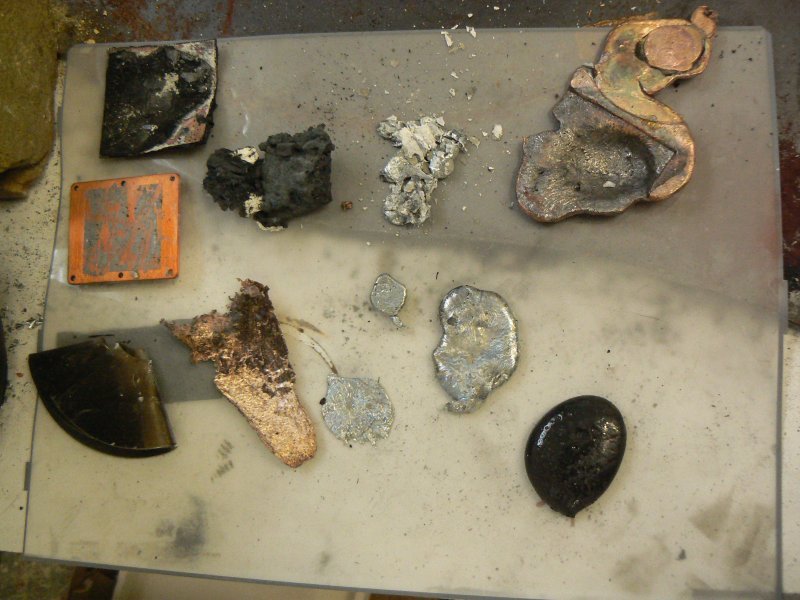
The second and third with: recovered lead/copper/silver nitrate solution (CPUs in nitric acid, filtered) as electrolytic, ferrous sulphate (recipe below) as electrolytic and raw heatsink, cpu, crushed RAM, crushed ferrite, recast copper, recast hard drive platter, recast ferrite.
Making ferrous sulphate solution: 40 ml water, 5 ml sulphuric, 30g iron sulphate mixed and slowly heated. Or add pure steel wool (degreased in acetone) in sulphuric.
development

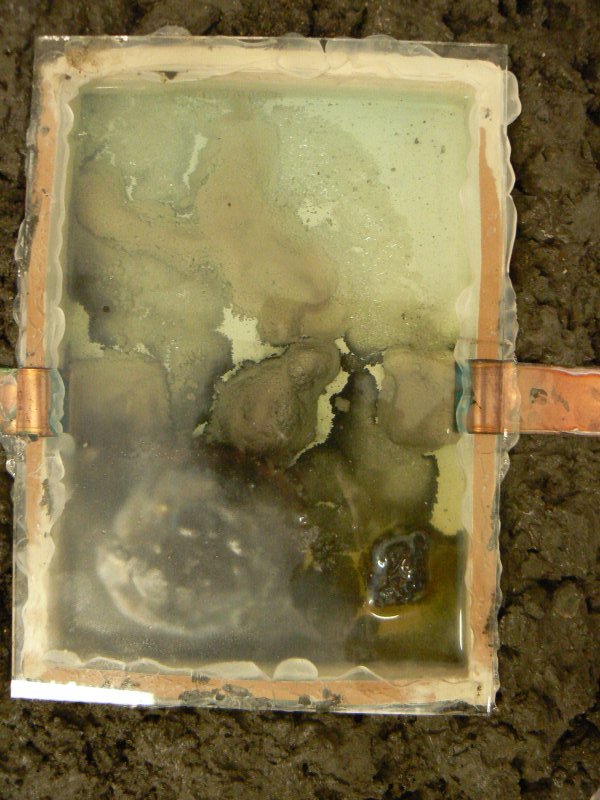


silver nitrate explorations
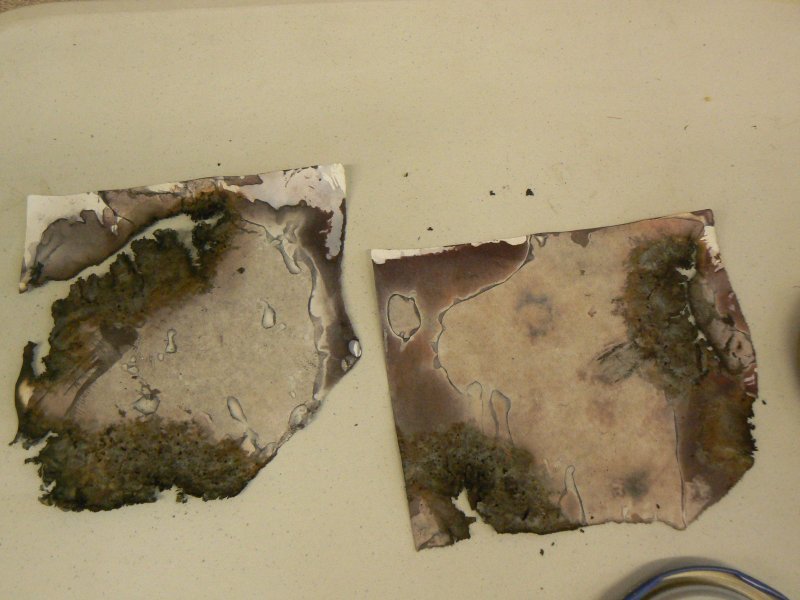
An attempt to expose photographic images using silver nitrate extracted from CPUs, motherboards, RAM (using nitric acid, some heat). Thick absorbent paper was first soaked in a salt solution (rock salt: 10g to 500ml), dried, then brushed with the filtered CPU leachate (in a dark plastic bag), then exposed to the light. No significant results. The same paper further subjected to high voltage supply below (mostly burning).
As a control silver nitrate (6g to 25ml purified water) was tested in the above salt paper process with positive results. Fix was: solution of sodium thiosulfate (hypo=50g per litre).
high voltage/lichtenberg figures


Two nails hammered into a piece of wood at distances of say 50-100cm. Wood soaked or sprayed with water, various solutions including silver nitrate. Using the new high voltage MOT AC power supply across both nails (below)
new MOT PSU/power supply development:
Using two MOT (microwave oven transformers):
With the primary windings (less windings, measured as least ohms, thicker windings) connected in parallel and secondary windings (most ohms, most windings, thinner wire) in series. 240v on the primary. Quite often blowing mains power fuse - tested with additional transformer secondary in series with load or arc (should this not be in series with primary/240v?)
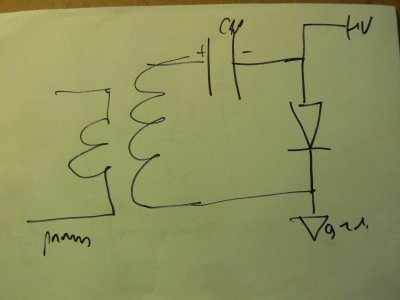
A further single MOT power supply (untested - diagram above) was constructed for high voltage DC. (details)
misc notes
leached G5 mycologicals

An attempt to recrystallise leached metals from a G5 motherboard and housing using oyster mycelium and mushroom bodies.
Steps:

- leaching the motherboard using 95% sulphuric and electrolysis (12v PC supply)
- neutralize acids by puring in bicarbonate of soda
- bed down wood chip/mycelium mix (1 litre) in the G5 housing
other piezo-electrics
such as Monoammonium phosphate:
http://chemistry.about.com/od/crystalrecipes/ht/ammoniumphos.htm
http://skywalker.cochise.edu/wellerr/crystalgrow/grow-ADP.htm
kirlian/hv summary

curve tracer
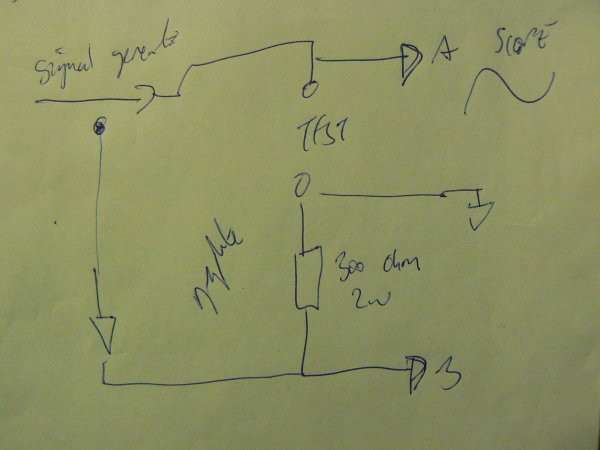
credits
As part of The Crystal World open laboratory co-organised with Jonathan Kemp and Ryan Jordan as part of a Permacultures residency supported by SPACE, Bloomberg and Arts Council England, London.
garage log may/june 2012 75

recent earth works 74
skin<->substrate<->earth

Fixes to hardware and software (for project see details below).
/* with Nokia 3310 as output */

/* - notes:
   -  5 pins for NOKIA
   -  sce, reset, dc, sdin,sclk
   -  4 pins for bridge (generate/test negative supply for op-amp)
*/

#define F_CPU 12000000UL  // 12 MHz

#include <avr/io.h>
#include <stdio.h>
#include <inttypes.h>
#include <avr/delay.h>
#include <avr/iom8.h>
#include <avr/interrupt.h>

#define byte unsigned char
#define LOW 0
#define HIGH 1
#define LCD_CMD   0
#define LCD_C     LOW
#define LCD_D     HIGH
#define LCD_X     84
#define LCD_Y     48
#define sbi(var, mask)   ((var) |= (uint8_t)(1 << mask))
#define cbi(var, mask)   ((var) &= (uint8_t)~(1 << mask))

void LcdWrite(byte dc, byte data);

static const byte ASCII[][5] =
  {
    {0x00, 0x00, 0x00, 0x00, 0x00} // 20
    ,{0x00, 0x00, 0x5f, 0x00, 0x00} // 21 !
    ,{0x00, 0x07, 0x00, 0x07, 0x00} // 22 "
    ,{0x14, 0x7f, 0x14, 0x7f, 0x14} // 23 #
    ,{0x24, 0x2a, 0x7f, 0x2a, 0x12} // 24 $
    ,{0x23, 0x13, 0x08, 0x64, 0x62} // 25 %
    ,{0x36, 0x49, 0x55, 0x22, 0x50} // 26 &
    ,{0x00, 0x05, 0x03, 0x00, 0x00} // 27 '
    ,{0x00, 0x1c, 0x22, 0x41, 0x00} // 28 (
    ,{0x00, 0x41, 0x22, 0x1c, 0x00} // 29 )
    ,{0x14, 0x08, 0x3e, 0x08, 0x14} // 2a *
    ,{0x08, 0x08, 0x3e, 0x08, 0x08} // 2b +
    ,{0x00, 0x50, 0x30, 0x00, 0x00} // 2c ,
    ,{0x08, 0x08, 0x08, 0x08, 0x08} // 2d -
    ,{0x00, 0x60, 0x60, 0x00, 0x00} // 2e .
    ,{0x20, 0x10, 0x08, 0x04, 0x02} // 2f /
    ,{0x3e, 0x51, 0x49, 0x45, 0x3e} // 30 0
    ,{0x00, 0x42, 0x7f, 0x40, 0x00} // 31 1
    ,{0x42, 0x61, 0x51, 0x49, 0x46} // 32 2
    ,{0x21, 0x41, 0x45, 0x4b, 0x31} // 33 3
    ,{0x18, 0x14, 0x12, 0x7f, 0x10} // 34 4
    ,{0x27, 0x45, 0x45, 0x45, 0x39} // 35 5
    ,{0x3c, 0x4a, 0x49, 0x49, 0x30} // 36 6
    ,{0x01, 0x71, 0x09, 0x05, 0x03} // 37 7
    ,{0x36, 0x49, 0x49, 0x49, 0x36} // 38 8
    ,{0x06, 0x49, 0x49, 0x29, 0x1e} // 39 9
    ,{0x00, 0x36, 0x36, 0x00, 0x00} // 3a :
    ,{0x00, 0x56, 0x36, 0x00, 0x00} // 3b ;
    ,{0x08, 0x14, 0x22, 0x41, 0x00} // 3c <
    ,{0x14, 0x14, 0x14, 0x14, 0x14} // 3d =
    ,{0x00, 0x41, 0x22, 0x14, 0x08} // 3e >
    ,{0x02, 0x01, 0x51, 0x09, 0x06} // 3f ?
    ,{0x32, 0x49, 0x79, 0x41, 0x3e} // 40 @
    ,{0x7e, 0x11, 0x11, 0x11, 0x7e} // 41 A
    ,{0x7f, 0x49, 0x49, 0x49, 0x36} // 42 B
    ,{0x3e, 0x41, 0x41, 0x41, 0x22} // 43 C
    ,{0x7f, 0x41, 0x41, 0x22, 0x1c} // 44 D
    ,{0x7f, 0x49, 0x49, 0x49, 0x41} // 45 E
    ,{0x7f, 0x09, 0x09, 0x09, 0x01} // 46 F
    ,{0x3e, 0x41, 0x49, 0x49, 0x7a} // 47 G
    ,{0x7f, 0x08, 0x08, 0x08, 0x7f} // 48 H
    ,{0x00, 0x41, 0x7f, 0x41, 0x00} // 49 I
    ,{0x20, 0x40, 0x41, 0x3f, 0x01} // 4a J
    ,{0x7f, 0x08, 0x14, 0x22, 0x41} // 4b K
    ,{0x7f, 0x40, 0x40, 0x40, 0x40} // 4c L
    ,{0x7f, 0x02, 0x0c, 0x02, 0x7f} // 4d M
    ,{0x7f, 0x04, 0x08, 0x10, 0x7f} // 4e N
    ,{0x3e, 0x41, 0x41, 0x41, 0x3e} // 4f O
    ,{0x7f, 0x09, 0x09, 0x09, 0x06} // 50 P
    ,{0x3e, 0x41, 0x51, 0x21, 0x5e} // 51 Q
    ,{0x7f, 0x09, 0x19, 0x29, 0x46} // 52 R
    ,{0x46, 0x49, 0x49, 0x49, 0x31} // 53 S
    ,{0x01, 0x01, 0x7f, 0x01, 0x01} // 54 T
    ,{0x3f, 0x40, 0x40, 0x40, 0x3f} // 55 U
    ,{0x1f, 0x20, 0x40, 0x20, 0x1f} // 56 V
    ,{0x3f, 0x40, 0x38, 0x40, 0x3f} // 57 W
    ,{0x63, 0x14, 0x08, 0x14, 0x63} // 58 X
    ,{0x07, 0x08, 0x70, 0x08, 0x07} // 59 Y
    ,{0x61, 0x51, 0x49, 0x45, 0x43} // 5a Z
    ,{0x00, 0x7f, 0x41, 0x41, 0x00} // 5b [
    ,{0x02, 0x04, 0x08, 0x10, 0x20} // 5c ¥
    ,{0x00, 0x41, 0x41, 0x7f, 0x00} // 5d ]
    ,{0x04, 0x02, 0x01, 0x02, 0x04} // 5e ^
    ,{0x40, 0x40, 0x40, 0x40, 0x40} // 5f _
    ,{0x00, 0x01, 0x02, 0x04, 0x00} // 60 `
    ,{0x20, 0x54, 0x54, 0x54, 0x78} // 61 a
    ,{0x7f, 0x48, 0x44, 0x44, 0x38} // 62 b
    ,{0x38, 0x44, 0x44, 0x44, 0x20} // 63 c
    ,{0x38, 0x44, 0x44, 0x48, 0x7f} // 64 d
    ,{0x38, 0x54, 0x54, 0x54, 0x18} // 65 e
    ,{0x08, 0x7e, 0x09, 0x01, 0x02} // 66 f
    ,{0x0c, 0x52, 0x52, 0x52, 0x3e} // 67 g
    ,{0x7f, 0x08, 0x04, 0x04, 0x78} // 68 h
    ,{0x00, 0x44, 0x7d, 0x40, 0x00} // 69 i
    ,{0x20, 0x40, 0x44, 0x3d, 0x00} // 6a j
    ,{0x7f, 0x10, 0x28, 0x44, 0x00} // 6b k
    ,{0x00, 0x41, 0x7f, 0x40, 0x00} // 6c l
    ,{0x7c, 0x04, 0x18, 0x04, 0x78} // 6d m
    ,{0x7c, 0x08, 0x04, 0x04, 0x78} // 6e n
    ,{0x38, 0x44, 0x44, 0x44, 0x38} // 6f o
    ,{0x7c, 0x14, 0x14, 0x14, 0x08} // 70 p
    ,{0x08, 0x14, 0x14, 0x18, 0x7c} // 71 q
    ,{0x7c, 0x08, 0x04, 0x04, 0x08} // 72 r
    ,{0x48, 0x54, 0x54, 0x54, 0x20} // 73 s
    ,{0x04, 0x3f, 0x44, 0x40, 0x20} // 74 t
    ,{0x3c, 0x40, 0x40, 0x20, 0x7c} // 75 u
    ,{0x1c, 0x20, 0x40, 0x20, 0x1c} // 76 v
    ,{0x3c, 0x40, 0x30, 0x40, 0x3c} // 77 w
    ,{0x44, 0x28, 0x10, 0x28, 0x44} // 78 x
    ,{0x0c, 0x50, 0x50, 0x50, 0x3c} // 79 y
    ,{0x44, 0x64, 0x54, 0x4c, 0x44} // 7a z
    ,{0x00, 0x08, 0x36, 0x41, 0x00} // 7b {
    ,{0x00, 0x00, 0x7f, 0x00, 0x00} // 7c |
    ,{0x00, 0x41, 0x36, 0x08, 0x00} // 7d }
    ,{0x10, 0x08, 0x08, 0x10, 0x08} // 7e ←
    ,{0x78, 0x46, 0x41, 0x46, 0x78} // 7f →
  };

void delay(int ms){
  while(ms){
    _delay_ms(0.96);
    ms--;
  }
}

void adc_init(){
  DDRC=0x00; PORTC=0x00;
  unsigned char channel = 0;
  ADMUX=(channel & 0x0f);
  // ADCSRA: ADC Control and Status Register
  // ADPS2..ADPS0: ADC frequency Prescaler Select Bits
  // ADEN: Analog Digital Converter Enable, set this before setting ADSC
  ADCSRA |= (1 << ADPS2) | (1 << ADPS1) | (1 << ADPS0); // Set ADC prescalar to 128
  ADMUX |= (1 << REFS0); // Set ADC reference to AVCC
  //  ADMUX |= (1 << ADLAR); // Left adjust ADC result to allow easy 8 bit reading
  ADCSRA |= (1 << ADEN);  // Enable ADC
  //  ADCSRA |= (1 << ADSC);  // Start A2D Conversions
}

unsigned int adcread(short channel){
  unsigned int ADresult;

  ADMUX = (ADMUX & (unsigned int) 0xf0) | (channel & (unsigned int) 0x0f);
  _delay_ms(10);
  ADCSRA |= (1 << ADSC);  // Start A2D Conversions
  while (bit_is_set(ADCSRA, ADSC));
  ADresult = ADCL;
  ADresult |= ((int)ADCH) << 8;
  return(ADresult);
}


void LcdCharacter(char character)
{
  LcdWrite(LCD_D, 0x00);
  for (int index = 0; index < 5; index++)
    {
      LcdWrite(LCD_D, ASCII[character - 0x20][index]);
    }
  LcdWrite(LCD_D, 0x00);
}

void LcdClear(void)
{
  for (int index = 0; index < LCD_X * LCD_Y / 8; index++)
    {
      LcdWrite(LCD_D, 0x00);
    }
}

void LcdString(char *characters)
{
  while (*characters)
    {
      LcdCharacter(*characters++);
    }
}

void LcdWrite(byte dc, byte data)
{
  int x;
  if (dc==LOW) cbi(PORTD,5);
  else sbi(PORTD,5);
  cbi(PORTD, 0);
  //  shiftOut(PIN_SDIN, PIN_SCLK, MSBFIRST, data);
  for (x=7;x>=0;x--){
    //    MSB first
    if (((data>>x)&1)==0) cbi(PORTD,6);
    else sbi(PORTD,6);
    sbi(PORTD,7);     // toggle pin 7 SCLK
    cbi(PORTD,7);
  }

  sbi(PORTD, 0);
}

void LcdInitialise(void)
{

  DDRD=0xE3; // SCE as d0, RESET as d1, DC as d5, SDIN as d6, SCLK as d7 - all outs
  DDRC=0x0E;// TODO add pc1/2/3 as charge pump
  cbi(PORTD, 1);
  sbi(PORTD, 1);

  LcdWrite( LCD_CMD, 0x21 );  // LCD Extended Commands.
  LcdWrite( LCD_CMD, 0xBf );  // Set LCD Vop (Contrast). //B1
  LcdWrite( LCD_CMD, 0x04 );  // Set Temp coefficent. //0x04
  LcdWrite( LCD_CMD, 0x14 );  // LCD bias mode 1:48. //0x13
  LcdWrite( LCD_CMD, 0x0C );  // LCD in normal mode. 0x0d for inverse

  LcdWrite(LCD_C, 0x20);
  LcdWrite(LCD_C, 0x0C);
}

int main(){

  int x,y,z,adc,oldlenny,lenny=0,index,count=0;
  unsigned char mybuffer[16];
  // init

  adc_init();
  LcdInitialise();
  LcdClear();

  // pins for 2 bridges +- = PB0-PB3

  DDRB=0x0F;

  /* port rest of soil testing - flip/sample/display */

  while(1){

    // pulse for one second:

    for (index=0;index<137;index++){
        sbi(PORTB,1); cbi(PORTB,0);
        _delay_ms(3.64); // 137 Hz
        cbi(PORTB,1); sbi(PORTB,0);
        _delay_ms(3.64); // 137 Hz
    }

    // readings

    for (index=0;index<32;index++){
        sbi(PORTB,1); cbi(PORTB,0);
        _delay_ms(3.64); // 137 Hz
        x = adcread(0);
        cbi(PORTB,1); sbi(PORTB,0);
        _delay_ms(3.64); // 137 Hz
        y = adcread(0);
        if (x>y) adc+=x-y;
        if (x<y) adc+=y-x;
    }

    z=adc/16;

    for (index = 0; index < 504-(lenny*7); index++)
    {
      LcdWrite(LCD_D, 0x00);
    }
      oldlenny=lenny;
      lenny=sprintf(mybuffer,"xx: %d   ",z);
      LcdString(mybuffer);

      adc=0;
      count=0;
      // pause also for one second
      delay(1000);
        }
}
summary of detection
- voltage difference/high impedance measurement using one op amp (input to +, feedback - to out)
- moisture/resistance (to an impulse): 555/40106
references:
http://www.arduino.cc/cgi-bin/yabb2/YaBB.pl?num=1255471714/all
http://www.arduino.cc/cgi-bin/yabb2/YaBB.pl?num=1241791578/0
- temperature (ds1820 ref: http://www.psychogeophysics.org/wiki/doku.php?id=walkerlog#december5 )
and/or IR sensor LHI 968 as follows:

- embedded piezo crystals
-
earthboot audio code in:
/root/collect2012/earth/earthcode/earthboot/LUFA_091223/Demos/Device/LowLevel/VirtualSerial/VirtualSerial.c
- capacitance/radio transmission
and of earth excitations
- electrochemical (impulses)
- chemical, liquid
- heat
- movement, disturbance
- earthworms, creatures, micro-organisms, mycelium intervention
surface playback 73
further modification of the transmitter/scratcher

Now using some kind of capacitative pickup; replacing the 10pF capacitor across the collector and emitter of the classic Kogawa-one-transistor-transmitter with a piece of copper and a piece of copper tape separated by thin paper. The tape is free to move and vibrate and a needle can be soldered here to act as pickup. Vibrations are translated directly into changes in frequency:
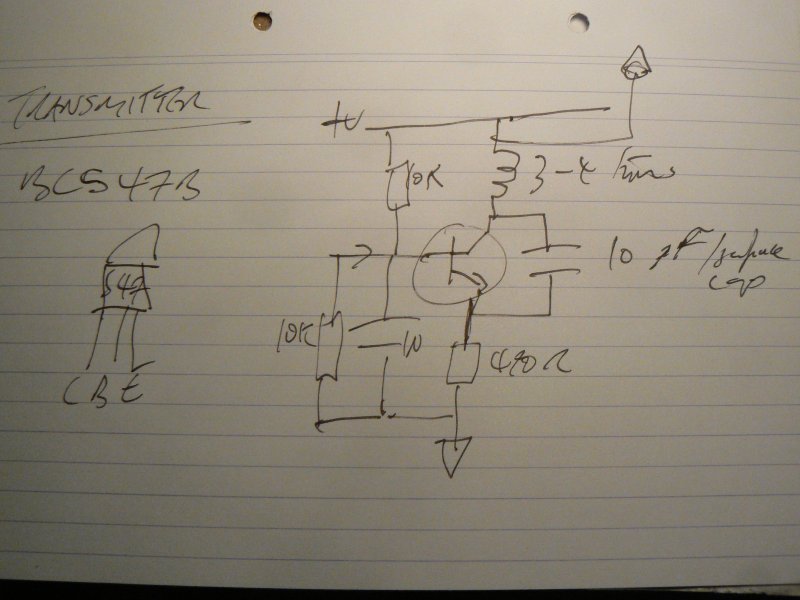
laser/optical interferometer
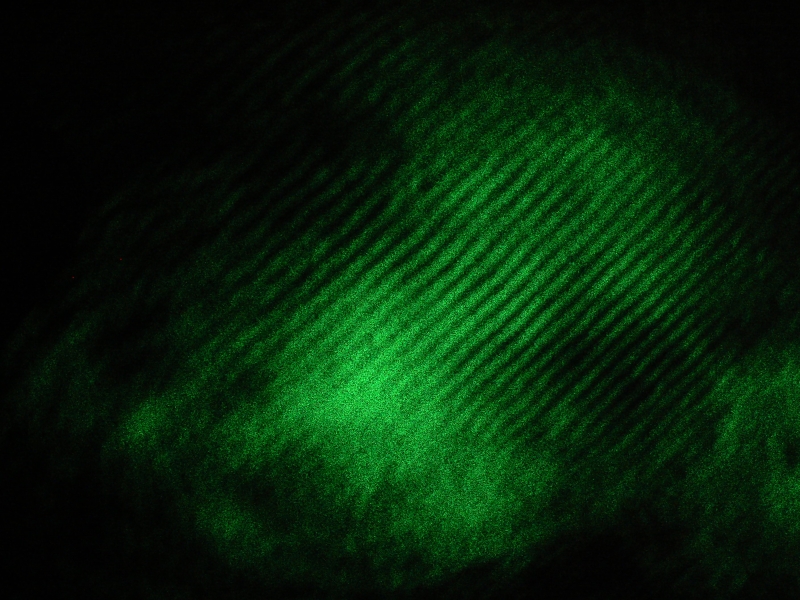
As first part of further investigations into the potential optical playback of surfaces, and following the Michaelson-Morley model (and simple video at: http://www.metacafe.com/watch/1381543/laser\_interferometer\_homemade\_for\_20/ )
With setup visible as follows and interference patterns projected with a simple magnifying/objective lens after careful alignment of beams:
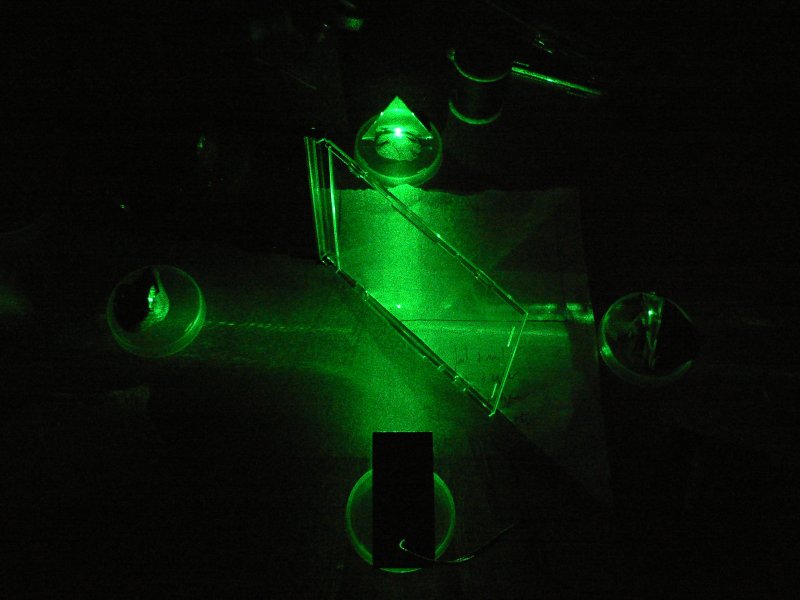
(laser at bottom, mirrors held in clay to top and right, lens to left projecting on the wall)

software
Following Will Schrimshaw's http://willschrimshaw.net/strct/geo-traumatic-resonance-research/
#!/usr/local/bin/python

# convert to greyscale with :

#  convert -colorspace gray test.jpg testout.jpg
# or see HOWTO for script

import sys
import Image
import wave
import struct

arg = sys.argv[1]
im = Image.open(arg) # read file path specified in argument
dimensions = im.size
row = []
x=0

filt=arg+".wav"
wav_output = wave.open(filt, 'w')
wav_output.setparams((1, 1, 44100, 0, 'NONE', 'not compressed'))

for y in range(dimensions[1]): # for number of horizontal rows in image ...
    pixles = ''
    values = []
    for x in range(dimensions[0]):
        pixval = im.getpixel((x,y))

#        val = (pixval[0]*pixval[1]*pixval[2])%32768 # should be from -32768 to 32768
        val=pixval*128 # for greyscale
        packed_value = struct.pack('h', val)
        values.append(packed_value)
    pixles=''.join(values)
    wav_output.writeframes(pixles)

wav_output.close()
summary
Of surface works:
- variations on interferometer (including simple laser reflection from surface)
- speckles (following C.L Stong: Scientific American February 1972)
- imaging/scanning/photographic/digital/rubbings
- ultrasonics (wavelength at 40 KHz =8.6mm?)
- needle/pickup - piezo(also cushioned in film canister with foam), electromagnetic, capacitative
- microwave?
quick opcode sonification/pain opcode 72
With code below and:
./traceop 10082 > /dev/dsp
or
./traceop 10082 > /dev/ttyUSB0
where 10082 is the PID for the intended process.
#include <stdio.h>
#include <sys/ptrace.h>
#include <errno.h>
#include <sys/types.h>
#include <sys/resource.h>
#include <sys/wait.h>
#include <signal.h>
#include <stdlib.h>
#include <lo/lo.h>
#include <sys/user.h>

int main (int argc, char *argv[]) {

  long long counter = 1; // machine instruction counter
  int  wait_val;         // child's return value
  int  pid;              // child's process id

  struct user_regs_struct red;
  unsigned int x,y,xy,ya,yb,yc,yd,ye,yf,yg,yh,yi,err,signo;
  unsigned char buffer[8];
  int exitf=0;

  pid=strtoul(argv[1], NULL, 10);

  fprintf(stderr,"pid: %d\n",pid);
  ptrace(PTRACE_ATTACH,pid,0,0);
  wait(&wait_val);

  if (ptrace(PTRACE_SINGLESTEP,pid,NULL,NULL) != 0)
    perror("ptracex:");

  while(!exitf){
    ptrace(PTRACE_SINGLESTEP,pid,NULL,signo);

    x=ptrace(PTRACE_GETREGS,pid,NULL,&red);
    wait(&wait_val);

    ya=red.eip;
    if (ya>0) {
      //        printf("%c",ya);
      //                                printf("%d\n",ya); // STDERR
      yb=ptrace(PTRACE_PEEKDATA,pid,ya,NULL);
      printf("%c",yb%255); // STDERR

    }
    if ((signo = WSTOPSIG(wait_val)) == SIGTRAP) {
      signo = 0;
    }
    if ((signo == SIGHUP) || (signo == SIGINT)) {
      ptrace(PTRACE_CONT, pid, 0, signo);
      printf("Child took a SIGHUP or SIGINT. We are done\n");
      exitf=0;
      break;
    }
  }
}
earthboot project 70

I have graven it within the hills, and my vengeance upon the dust within the rock.
[The Narrative of Arthur Gordon Pym. Edgar Allen Poe]
Earth as operating system(OS). Earthboot is a hardware device embedded within the earth which can boot any PC into an OS coded by electrical potentials manifesting in the earth (telluric currents).
A prototype has been constructed based on the ATMEGA32u4 which emulates a USB mass storage device, sampling earth voltages and converting these directly into instructions for an earthbooting computer.
Preliminary tests for earthboot have proved successful using code based on the LUFA mass storage example. Code is archived at:
http://1010.co.uk/earthboot.tar.gz
[earthboot is part of earthcodes.]
notes
32u4 notes
To program the 32u4 using the default bootloader we use: dfu-programmer as in:
dfu-programmer atmega32u4 erase
or from the LUFA mass storage example:
make dfu
We need to hold down the HWB button and then press reset once before issuing this command.
BIOS/boot notes
A sector has a length of 512 bytes. A sector becomes a "boot" sector because of it's location and the hex value 0xaa55 in the final two bytes.
pain register/computing prototype 69

pain register directly translates CPU activities (as changes in a common storage register named EAX) when running a chosen piece of software into the often painful inscription of a needle on the hand. pain register successfully shifts the site of execution in homage to Kafka's "In the Penal Colony".
Modifying self3 code, pain register uses traced register values (delivered by way of the ptrace system call) to drive a servo, chopstick and needle apparat. As ptraced code necessarily runs much more slowly than untraced code, simply starting the firefox executable allows for over 16 hours of needle inflicted pain on the subject's skin before they are able to enjoy the fruits of the CPU labour.
Video of the prototype in action transcribing "ls -la" as the command:
pain register is part of the data sedimentation project and will also be used within the psychogeophysics walker as a feedback mechanism.
code:
./self "/bin/ls" "-la" > /dev/ttyUSB0
[with arduino reading serial and converting to servo]
#include <stdio.h>
#include <sys/ptrace.h>
#include <errno.h>
#include <sys/types.h>
#include <sys/resource.h>
#include <sys/wait.h>
#include <signal.h>
#include <stdlib.h>
#include <lo/lo.h>
#include <sys/user.h>

void main (int argc, char**argv) {

  long long counter = 1;
  int  wait_val;
  int  pid;

  struct user_regs_struct red;
  int x,y,xy,ya,yb,yc,yd,ye,yf,yg,yh,yi;
  unsigned char buffer[8];
  int exitf=0;

  int len = sizeof(buffer);

  switch (pid=fork()) {
  case -1: perror("fork"); break;
  case 0:
    ptrace(PTRACE_TRACEME, 0, 0, 0);
    if (argc>1) execl(argv[1], argv[1], argv[2], (char *)NULL);
    else execl(argv[1], argv[1], (char *)NULL);
    break;
  default:
    wait(&wait_val);
    if (ptrace(PTRACE_SINGLESTEP,pid,NULL,NULL) != 0)
      perror("ptraceX");
    wait(&wait_val);
    while(!exitf){
      if (ptrace(PTRACE_SINGLESTEP,pid,NULL,NULL) != 0)
      wait(&wait_val);
       x=ptrace(PTRACE_GETREGS,pid,NULL,&red);
      ya=(int)((int)red.eax%180);
      if (ya>0) {
                printf("%c",ya);
          }
    }
  }
}
Revisiting LRA 68

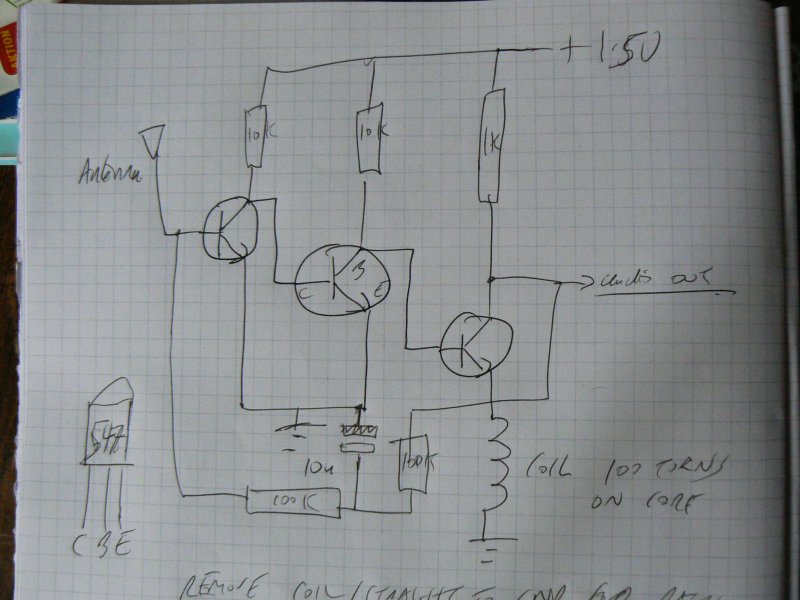
Revisiting Local Resonance Amplifier (LRA) (see: 34) for viennese symptoms buboes embeddings; amplifies local electromagnetic resonances and broadcasts these locally for pickup by other detectors/radio receivers subject to body/surface interference effects.
The small circuit combines local EM sniffer/amplifier (3x BC547B transistors) following Elektor Schnüffler design applied to ferrite coil core.
skin <-> substrate <-> earth 67
Overlaying the measurement of skin impedance/resistance with earth impedance by using the fingers as measurement probes within context of geophysical earth resistance measurement. Plotting of measurements on ad-hoc hand-drawn maps.
Code:
/* with Nokia 3310 as output */

/* - notes:
   -  5 pins for NOKIA
   -  sce, reset, dc, sdin,sclk
   -  4 pins for bridge (generate/test negative supply for op-amp)
*/

#define F_CPU 12000000UL  // 12 MHz

#include <avr/io.h>
#include <stdio.h>
#include <inttypes.h>
#include <avr/delay.h>

#define byte unsigned char
#define LOW 0
#define HIGH 1
#define LCD_CMD   0
#define LCD_C     LOW
#define LCD_D     HIGH
#define LCD_X     84
#define LCD_Y     48
#define sbi(var, mask)   ((var) |= (uint8_t)(1 << mask))
#define cbi(var, mask)   ((var) &= (uint8_t)~(1 << mask))

void LcdWrite(byte dc, byte data);

static const byte ASCII[][5] =
{
 {0x00, 0x00, 0x00, 0x00, 0x00} // 20
,{0x00, 0x00, 0x5f, 0x00, 0x00} // 21 !
,{0x00, 0x07, 0x00, 0x07, 0x00} // 22 "
,{0x14, 0x7f, 0x14, 0x7f, 0x14} // 23 #
,{0x24, 0x2a, 0x7f, 0x2a, 0x12} // 24 $
,{0x23, 0x13, 0x08, 0x64, 0x62} // 25 %
,{0x36, 0x49, 0x55, 0x22, 0x50} // 26 &
,{0x00, 0x05, 0x03, 0x00, 0x00} // 27 '
,{0x00, 0x1c, 0x22, 0x41, 0x00} // 28 (
,{0x00, 0x41, 0x22, 0x1c, 0x00} // 29 )
,{0x14, 0x08, 0x3e, 0x08, 0x14} // 2a *
,{0x08, 0x08, 0x3e, 0x08, 0x08} // 2b +
,{0x00, 0x50, 0x30, 0x00, 0x00} // 2c ,
,{0x08, 0x08, 0x08, 0x08, 0x08} // 2d -
,{0x00, 0x60, 0x60, 0x00, 0x00} // 2e .
,{0x20, 0x10, 0x08, 0x04, 0x02} // 2f /
,{0x3e, 0x51, 0x49, 0x45, 0x3e} // 30 0
,{0x00, 0x42, 0x7f, 0x40, 0x00} // 31 1
,{0x42, 0x61, 0x51, 0x49, 0x46} // 32 2
,{0x21, 0x41, 0x45, 0x4b, 0x31} // 33 3
,{0x18, 0x14, 0x12, 0x7f, 0x10} // 34 4
,{0x27, 0x45, 0x45, 0x45, 0x39} // 35 5
,{0x3c, 0x4a, 0x49, 0x49, 0x30} // 36 6
,{0x01, 0x71, 0x09, 0x05, 0x03} // 37 7
,{0x36, 0x49, 0x49, 0x49, 0x36} // 38 8
,{0x06, 0x49, 0x49, 0x29, 0x1e} // 39 9
,{0x00, 0x36, 0x36, 0x00, 0x00} // 3a :
,{0x00, 0x56, 0x36, 0x00, 0x00} // 3b ;
,{0x08, 0x14, 0x22, 0x41, 0x00} // 3c <
,{0x14, 0x14, 0x14, 0x14, 0x14} // 3d =
,{0x00, 0x41, 0x22, 0x14, 0x08} // 3e >
,{0x02, 0x01, 0x51, 0x09, 0x06} // 3f ?
,{0x32, 0x49, 0x79, 0x41, 0x3e} // 40 @
,{0x7e, 0x11, 0x11, 0x11, 0x7e} // 41 A
,{0x7f, 0x49, 0x49, 0x49, 0x36} // 42 B
,{0x3e, 0x41, 0x41, 0x41, 0x22} // 43 C
,{0x7f, 0x41, 0x41, 0x22, 0x1c} // 44 D
,{0x7f, 0x49, 0x49, 0x49, 0x41} // 45 E
,{0x7f, 0x09, 0x09, 0x09, 0x01} // 46 F
,{0x3e, 0x41, 0x49, 0x49, 0x7a} // 47 G
,{0x7f, 0x08, 0x08, 0x08, 0x7f} // 48 H
,{0x00, 0x41, 0x7f, 0x41, 0x00} // 49 I
,{0x20, 0x40, 0x41, 0x3f, 0x01} // 4a J
,{0x7f, 0x08, 0x14, 0x22, 0x41} // 4b K
,{0x7f, 0x40, 0x40, 0x40, 0x40} // 4c L
,{0x7f, 0x02, 0x0c, 0x02, 0x7f} // 4d M
,{0x7f, 0x04, 0x08, 0x10, 0x7f} // 4e N
,{0x3e, 0x41, 0x41, 0x41, 0x3e} // 4f O
,{0x7f, 0x09, 0x09, 0x09, 0x06} // 50 P
,{0x3e, 0x41, 0x51, 0x21, 0x5e} // 51 Q
,{0x7f, 0x09, 0x19, 0x29, 0x46} // 52 R
,{0x46, 0x49, 0x49, 0x49, 0x31} // 53 S
,{0x01, 0x01, 0x7f, 0x01, 0x01} // 54 T
,{0x3f, 0x40, 0x40, 0x40, 0x3f} // 55 U
,{0x1f, 0x20, 0x40, 0x20, 0x1f} // 56 V
,{0x3f, 0x40, 0x38, 0x40, 0x3f} // 57 W
,{0x63, 0x14, 0x08, 0x14, 0x63} // 58 X
,{0x07, 0x08, 0x70, 0x08, 0x07} // 59 Y
,{0x61, 0x51, 0x49, 0x45, 0x43} // 5a Z
,{0x00, 0x7f, 0x41, 0x41, 0x00} // 5b [
,{0x02, 0x04, 0x08, 0x10, 0x20} // 5c ¥
,{0x00, 0x41, 0x41, 0x7f, 0x00} // 5d ]
,{0x04, 0x02, 0x01, 0x02, 0x04} // 5e ^
,{0x40, 0x40, 0x40, 0x40, 0x40} // 5f _
,{0x00, 0x01, 0x02, 0x04, 0x00} // 60 `
,{0x20, 0x54, 0x54, 0x54, 0x78} // 61 a
,{0x7f, 0x48, 0x44, 0x44, 0x38} // 62 b
,{0x38, 0x44, 0x44, 0x44, 0x20} // 63 c
,{0x38, 0x44, 0x44, 0x48, 0x7f} // 64 d
,{0x38, 0x54, 0x54, 0x54, 0x18} // 65 e
,{0x08, 0x7e, 0x09, 0x01, 0x02} // 66 f
,{0x0c, 0x52, 0x52, 0x52, 0x3e} // 67 g
,{0x7f, 0x08, 0x04, 0x04, 0x78} // 68 h
,{0x00, 0x44, 0x7d, 0x40, 0x00} // 69 i
,{0x20, 0x40, 0x44, 0x3d, 0x00} // 6a j
,{0x7f, 0x10, 0x28, 0x44, 0x00} // 6b k
,{0x00, 0x41, 0x7f, 0x40, 0x00} // 6c l
,{0x7c, 0x04, 0x18, 0x04, 0x78} // 6d m
,{0x7c, 0x08, 0x04, 0x04, 0x78} // 6e n
,{0x38, 0x44, 0x44, 0x44, 0x38} // 6f o
,{0x7c, 0x14, 0x14, 0x14, 0x08} // 70 p
,{0x08, 0x14, 0x14, 0x18, 0x7c} // 71 q
,{0x7c, 0x08, 0x04, 0x04, 0x08} // 72 r
,{0x48, 0x54, 0x54, 0x54, 0x20} // 73 s
,{0x04, 0x3f, 0x44, 0x40, 0x20} // 74 t
,{0x3c, 0x40, 0x40, 0x20, 0x7c} // 75 u
,{0x1c, 0x20, 0x40, 0x20, 0x1c} // 76 v
,{0x3c, 0x40, 0x30, 0x40, 0x3c} // 77 w
,{0x44, 0x28, 0x10, 0x28, 0x44} // 78 x
,{0x0c, 0x50, 0x50, 0x50, 0x3c} // 79 y
,{0x44, 0x64, 0x54, 0x4c, 0x44} // 7a z
,{0x00, 0x08, 0x36, 0x41, 0x00} // 7b {
,{0x00, 0x00, 0x7f, 0x00, 0x00} // 7c |
,{0x00, 0x41, 0x36, 0x08, 0x00} // 7d }
,{0x10, 0x08, 0x08, 0x10, 0x08} // 7e ←
,{0x78, 0x46, 0x41, 0x46, 0x78} // 7f →
};

void delay(int ms){
        while(ms){
                _delay_ms(0.96);
                ms--;
        }
}

void adc_init(){
  DDRC=0x00; PORTC=0x00;
  unsigned char channel = 0;
  ADMUX=(channel & 0x0f);
  // ADCSRA: ADC Control and Status Register
  // ADPS2..ADPS0: ADC frequency Prescaler Select Bits
  // ADEN: Analog Digital Converter Enable, set this before setting ADSC
  ADCSRA |= (1 << ADPS2) | (1 << ADPS1) | (1 << ADPS0); // Set ADC prescalar to 128
  ADMUX |= (1 << REFS0); // Set ADC reference to AVCC
  //  ADMUX |= (1 << ADLAR); // Left adjust ADC result to allow easy 8 bit reading
  ADCSRA |= (1 << ADEN);  // Enable ADC
  //  ADCSRA |= (1 << ADSC);  // Start A2D Conversions
}

unsigned int adcread(short channel){
  unsigned int ADresult;
  ADMUX &= 0xF8; // clear existing channel selection

  ADMUX |=(channel & 0x07); // set channel/pin
  ADCSRA |= (1 << ADSC);  // Start A2D Conversions
  loop_until_bit_is_set(ADCSRA, ADIF); /* Wait for ADIF, will happen soon */
  ADresult = ADCL;
  ADresult |= ((int)ADCH) << 8;
  return(ADresult);
}


void LcdCharacter(char character)
{
  LcdWrite(LCD_D, 0x00);
  for (int index = 0; index < 5; index++)
  {
    LcdWrite(LCD_D, ASCII[character - 0x20][index]);
  }
  LcdWrite(LCD_D, 0x00);
}

void LcdClear(void)
{
  for (int index = 0; index < LCD_X * LCD_Y / 8; index++)
  {
    LcdWrite(LCD_D, 0x00);
  }
}

void LcdString(char *characters)
{
  while (*characters)
  {
    LcdCharacter(*characters++);
  }
}

void LcdWrite(byte dc, byte data)
{
  int x;
  if (dc==LOW) cbi(PORTD,5);
  else sbi(PORTD,5);
  cbi(PORTD, 0);
  //  shiftOut(PIN_SDIN, PIN_SCLK, MSBFIRST, data);
  for (x=7;x>=0;x--){
    //    MSB first
    if (((data>>x)&1)==0) cbi(PORTD,6);
        else sbi(PORTD,6);
    sbi(PORTD,7);     // toggle pin 7 SCLK
    cbi(PORTD,7);
        }

  sbi(PORTD, 0);
}

void LcdInitialise(void)
{

  DDRD=0xE3; // SCE as d0, RESET as d1, DC as d5, SDIN as d6, SCLK as d7 - all outs
  cbi(PORTD, 1);
  sbi(PORTD, 1);

  LcdWrite( LCD_CMD, 0x21 );  // LCD Extended Commands.
  LcdWrite( LCD_CMD, 0xBf );  // Set LCD Vop (Contrast). //B1
  LcdWrite( LCD_CMD, 0x04 );  // Set Temp coefficent. //0x04
  LcdWrite( LCD_CMD, 0x14 );  // LCD bias mode 1:48. //0x13
  LcdWrite( LCD_CMD, 0x0C );  // LCD in normal mode. 0x0d for inverse

  LcdWrite(LCD_C, 0x20);
  LcdWrite(LCD_C, 0x0C);
}

 int main(){

   int x,y,z,adc,count=0;
   unsigned char mybuffer[16];
   // init
   LcdInitialise();
   LcdClear();

   // pins for 2 bridges +- = PB0-PB3

   DDRB=0x0F;

   // pb2 and 3 for op-amp
   PORTB=0x06;

/* port rest of soil testing - flip/sample/display */

   sbi(PORTB,1);//    PORTB=0x02; // + PB1
   delay(36); // 137 hz

   x = adcread(0)&1023;

   cbi(PORTB,1); sbi(PORTB,0);
   delay(36);
   y = adcread(0)&1023;

    // printf("y: %d\r\n", y);

    if (x>y) adc+=x-y;
    if (x<y) adc+=y-x;
    count++;
    if (count>32){
      z=adc/32;
      sprintf(mybuffer,"xx: %d",z);
      LcdClear();
      LcdString(mybuffer);
      adc=0;
      count=0;
      // pause also for one second
      delay(1000);
    }
 }
Links:
latest skrying prototype 66

Integrating: OPA336 GSR, AD8313 wideband log detector, AD5933 impedance and temperature measurement and GS407 Helical GPS Receiver (from tinkersoup ).
Code: https://code.goto10.org/svn/micro\_research/trunk/new\_skry/
KiCad Design: http://www.psychogeophysics.org/wiki/lib/exe/fetch.php?media=new\_skry.zip
data radio revised 65
Inside the carriage, which is built on several lev�c he sits in
velveteen darkness, with nothing to smoke, f+cKs;metal nearer and
farther rub and connect, steam escapi�in puffs, a vibration in the
carriage's frame, a poising,an uneasiness, all the others pressed in
around, feeble ones�+s#sheep, all out of luck and time: drunks,
old veterann٣Kccin shock from ordnance 20 years obsolete, hustlers
i city clothes, derelicts, exhausted women with more childrenhan
Local data radio; text, images, code are transmitted using a low budget FM transmitter of moderate size.
Original project: http://www.1010.co.uk/data\_radio.html
blackdeath prototype PCBs arrived 64
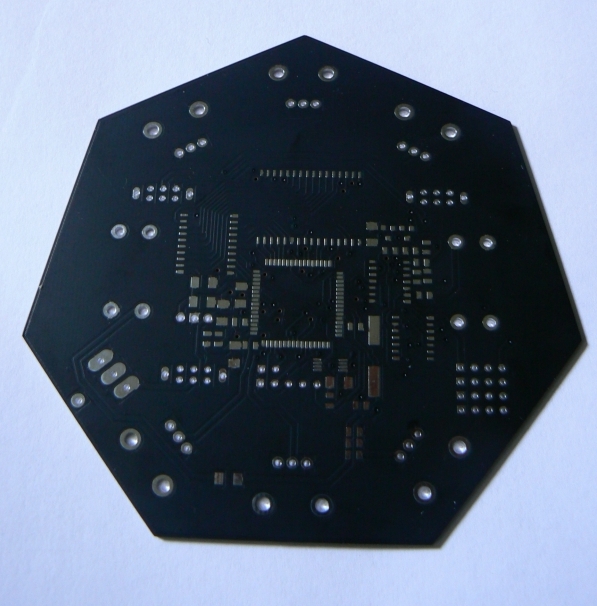
from pcbcart.
Inspired in part by Leif Elggren's Virulent Images/Virulent Sound (if images can be virulent, can sound be virulent too?), blackdeath is the first open hardware/free software noise synthesiser with the plague inside.
More details and open hardware/free software designs to follow after assembly and testing.
stack overflow 63
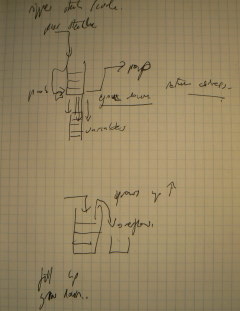
audio: http://soundcloud.com/martin\_howse/stackoverflow1
Within the frame of an ongoing series of works exploring software which exposes its own process (such as self), stack overflow renders audible program (over) flow and control.
As the name suggests the (execution or call) stack can be visualised as a pile of data; when a subroutine is called information such as where the routine should return to when its completed, is piled on the stack. A stack overflow occurs when the stack grows beyond its imposed bounds, overwriting other variables in memory and causing the machine to crash/behave in unpredictable manners. Stack overflow here is implemented on the ATmega8 microcontroller.
Future stack overflows explore the possibilities of extending the stack overflow imaginary into everyday life.
- code:
#define F_CPU 12000000UL
#include <stdio.h>
#include <stdint.h>
#include <stdlib.h>
#include <avr/io.h>
#include <avr/delay.h>
#include <avr/interrupt.h>
#include <alloca.h>

void set_tone(uint16_t f){
  OCR1AH = (f >> 8);
  OCR1AL = f;
}

int dtae,x;
int *dttt;

void clll(void){
  alloca(x);x++;
  _delay_ms(100);
}

void callitself(void (* calling)(void *)){
  //  asm ("push %0" : "=r" (dtae) : );
  clll();
  dttt=(int *)0x005d;
  dtae=*dttt;
  set_tone(dtae);
  return calling(calling);
}

int main(void)
{
  DDRB   |= 0x02;
  OCR1AH = 0x20;
  OCR1AL = 0x00;
  TCCR1A |= 0x40; // was 0x43
  TCCR1B |= 0x09; // 0x1c - now fast 10 bit pwm with 128 prescale.
  sei();
  callitself(&callitself);
}
- reference:
documentation of floppy/CDROM modifications 62
used in gemdays performance (alongside modified hard disks - amplification of different elements of the signal chain, including the hard drive actuator coil).
floppy

Recording (and playback of) looped impulses (only as encoding is MFM. These are generated by an attached 40106 CMOS oscillator) to floppy disk data write.
Connect pins:
- 12 (drive select 1) to GND (GND as bottom row of pins)
- 16 (motor enable 1) to GND
- 30 (data read) and 32 (select head?) to audio output
- 22 (data write) to the output of the oscillator (40106 with 1n to GND and finger resistance)
- also 18 and 20 (stepper) to GND (and 8 (index) to 20) to move head
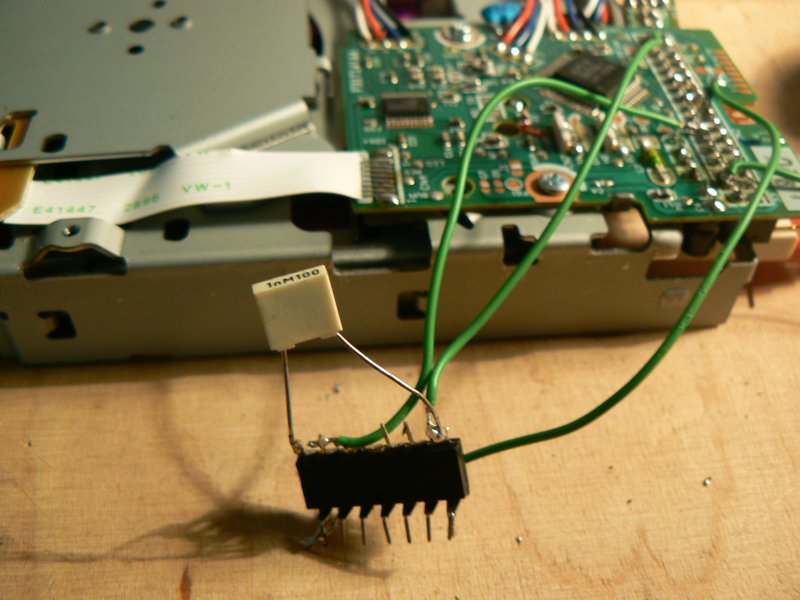
[recordings to follow]
reference for pins: http://pinouts.ru/Storage/InternalDisk\_pinout.shtml
CDROM

Finding one cdrom with test points labelled:
- RF-OUT we take as perhaps signal from photodiode -> audio
- LDON to HIGH (5v) to permanently turn on laser and photodiode
- ECM and EC GND for motors to run (also short furthest pins from power connector)
- noisy signals also from FLAG, SBCK and PD0
In preparation for…61

both the detection workshop and a work of fiction (in progress) recordings were made using the psychogeophysical inscription reading device (see below), for stone tape playback at certain East London locations on the evening of Monday 28th February 2011. With thanks to Jonathan Kemp.
Bucks Row:

Hanbury Street

Berner Street
Mitre Square

Dorset Street
psychogeophysical inscription playback device 60
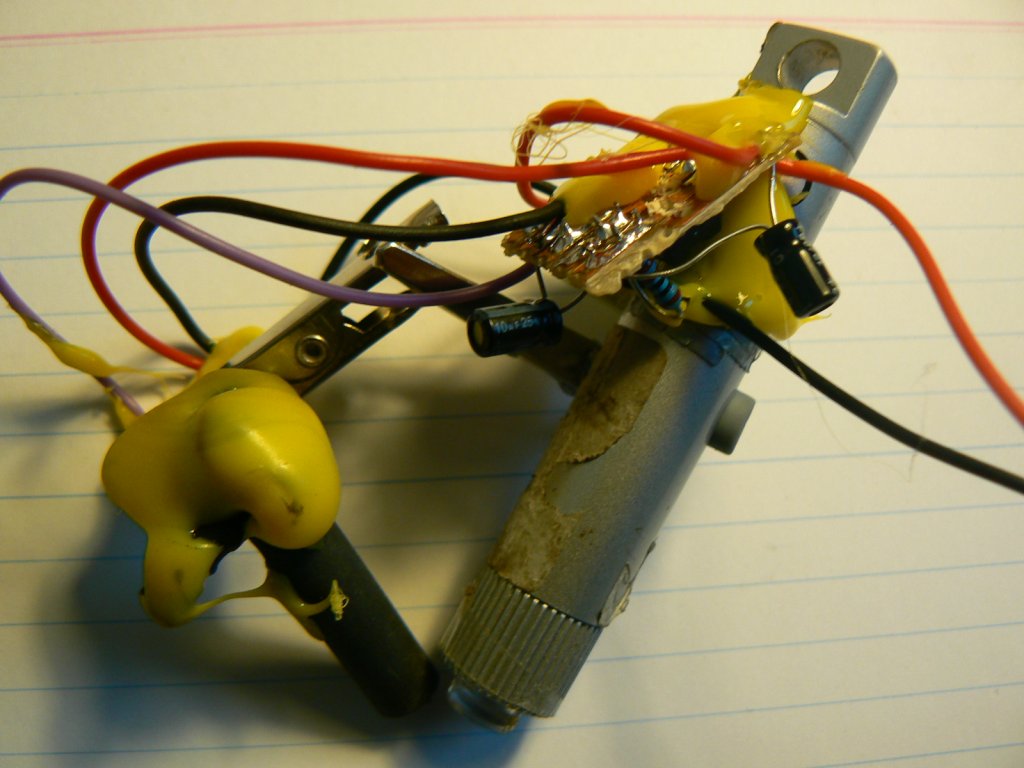
Providing an audible reading of inscriptions (tested successfully with vinyl LP and various surfaces).
Constructed with simple op-amp circuit:

using the LM358 op-amp, one cheap laser pen with collimator lens (unsure of source) glued to the tip, shrinkingtube (glued to TSL257 photodiode/amp), clips salvaged from crocodiles and copious amounts of yellow gluegun glue.
To be tested on certain London locations.
plague simulation code 59
# TODO: extra parameters according to journal plague year:
# - movement of individuals/houses/markets etc.
# - births/other deaths

# display (with colours?)
# audio output (OSC)

import sys, random, os, time
import OSC

height=40
width=40
population=2000
infected=10 # of which 10 infected
recovery = 60 # days to recover
Iprob = 0.4 # probability of transmission
Dprob = 0.1 # probability of death
move = 0.4 # probability of movement // unused so far

# SuscIinfectedRecovered

S = 0
I = 1 # (days)
R = -1
D = 255 # dead
pop = dict()
osc = OSC.OSCClient()

def send(message):
#    print message
    msg = OSC.OSCMessage("/xxxxx")
    msg.append(message)
    osc.sendto(msg,("localhost", 7777))


def movement(pop):

# clear pop_temp
    pop_temp = dict()
    x=0
    y=0

    for cellspace in pop:
        for ind in pop[cellspace]:
            cellx=cellspace[0]
            celly=cellspace[1]
            direction=random.randint(1,5)
            if ind==D: direction=5 # dead don't move
            if direction==1:
                x=cellx-1
                y=celly
            elif direction==2:
                x=cellx+1
                y=celly
            elif direction==3:
                y=celly-1
                x=cellx
            elif direction==4:
                y=celly+1
                x=cellx
            elif direction==5:
                y=celly
                x=cellx
            if y<0: y=height
            if x<0: x=width
            if x>width: x=0
            if y>height: y=0

            if pop_temp.has_key((x,y)): pop_temp[(x,y)].append(ind)
            else: pop_temp[(x,y)]=[ind]
    return pop_temp

def init_pop(pop, howmany, inf):
    for z in range(howmany):
        x=random.randint(0,width)
        y=random.randint(0,height)
        if pop.has_key((x,y)): pop[(x,y)].append(S)
        else: pop[(x,y)]=[S]
    for z in range(inf):
        x=random.randint(0,width)
        y=random.randint(0,height)
        if pop.has_key((x,y)): pop[(x,y)].append(I)
        else: pop[(x,y)]=[I]

def isinfected(pop,x,y):
    count=0
    for ind in pop[(x,y)]:
        if ind>=1 and ind!=D: count=count+1
    return count

def do_plague(pop):

# clear pop_temp
    pop_temp = dict()
    x=0
    y=0
    for cellspace in pop:
        for ind in pop[cellspace]:
    # increase age of infected - have they recovered
            if ind>0 and ind!=D:
                ind=ind+1
    # are they still alive - kill them off/remove them
                if random.random()<=Dprob:
                    ind=D # dead - rather remove from list

            if ind>recovery and ind!=D: ind=R
    # calculate probable infection for susceptible
    # if infected in their location and rand percentage then infected
            if ind==0:
                if isinfected(pop,cellspace[0],cellspace[1])>0 and random.random()<=Iprob:
                    ind=I
            x=cellspace[0]
            y=cellspace[1]
            if pop_temp.has_key((x,y)): pop_temp[(x,y)].append(ind)
            else: pop_temp[(x,y)]=[ind]
    return pop_temp


def draw_pop(pop):
    counts=0
    counti=0
    countr=0
    countd=0
    for y in range(height+1):
        for x in range(width+1):
            if pop.has_key((x,y)):
                zz = pop[(x,y)].count(S)
                counts=counts+zz
                zz=isinfected(pop,x,y)
                if zz>0: print zz, # print how many individuals susceptible/infected
                else: print " ",
                counti=counti+zz
                zz = pop[(x,y)].count(R)
                countr=countr+zz
                zz = pop[(x,y)].count(D)
                countd=countd+zz
                # how to mark infection
            else: print " ",
        print "\n",
#    send(counti)
    print '\n suscept %d infected %d recovered %d dead %d' % (counts,counti,countr,countd)


random.seed()
init_pop(pop,population, infected)
while 1:
    os.system("clear")
    draw_pop(pop)
#    time.sleep(0.1)
    pop=dict.copy(movement(pop))
    pop=dict.copy(do_plague(pop))
see also: piksel2010
self stack display 58

Further on the track of attempting to map (as some kind of sediment/archaeology) the changes in memory of a running process we arrive at the following code. Of interest that:
- /proc/self/mem represents all of linear memory so we need to seek to the right pages/the stack (as indicated by %esp - the stack pointer register or in /proc/self/maps)
- to seek in /proc/self/mem we need to use lseek64
Short code as follows to output successive stack states to a file ready for plotting with gnuplot:
#include <stdio.h>
#include <stdlib.h>
#include <unistd.h>
#include <sys/types.h>
#include <sys/stat.h>
#include <fcntl.h>
#include <string.h>
#include <errno.h>
#include <memory.h>
#include <math.h>

#define _XOPEN_SOURCE 500
#define _FILE_OFFSET_BITS 64
#define PAGER 4096

unsigned long get_sp(void) {
  __asm__("movl %esp,%eax");
}

int main(int argc, char **argv) {

  int mem_fd,memmap,n,x,y; unsigned char buf[4096], otheur[128];
  unsigned long *addr_ptr, *addr_ptrr, addr;
  FILE *file;

  if ((mem_fd =  open("/proc/self/mem", O_RDONLY,0)) ==-1) {
    perror("can't open\n");
    exit(1);
  }

  file=fopen("/root/test", "w");
  x=0;

  addr=get_sp();
  addr_ptrr=(long *)addr;

  while(1)
    {
      n=lseek64(mem_fd,0, SEEK_SET);
      if (n==-1) {
        printf("lseek failed to 0\n");
      }

      n=lseek64(mem_fd,addr_ptrr, SEEK_SET);
      if (n==-1) {
        printf("lseek failed to SPI\n");
      }
      n=read(mem_fd,buf,PAGER);
      if (n!=-1) {
        for (y=0;y<PAGER;y++)
          {
            fprintf(file,"%d\n",buf[y]);
          }
        usleep(1000);
      }
      fprintf(file,"\n");
    }
  fclose(file);
}
process self memory access: 57
list strategies and results:
cat /proc/PID/maps to show where stack is
/proc/self/mem
from man proc:
/proc/[number]/mem
This file can be used to access the pages of a process’s memory through open(2), read(2), and lseek(2).
But we can only seem to read certain parts from it - other parts not. And what we can read doesn't seem to contain variable's contents, or much of interest.
pointer manipulation
Segfaults when we try and access certain number of bytes below or above stack pointer. Stack pointer accessed with:
unsigned long get_sp(void) {
  __asm__("movl %esp,%eax");
}
grepping /dev/mem
for strings we've copied to variables - a lengthy process but it does work out (on 2.6.26 kernel).
/dev/mem is physical memory which relates by way of pages/segments(?) to what we gather from /proc/x/maps??
use of gdb (as most successful):
attach PID
dump memory filename start-address end-address
eg.
dump memory testgdb3 0xbfe74000 0xbfe89000
using stack addresses from proc/x/maps
info all-registers
to show stack pointer
x buffer
to show location of a variable named buffer
x/b main
to step through memory from main byte by byte
- other commands:
set history save
step
step 10000
psychogeophysical inscription device HOWTO: 56
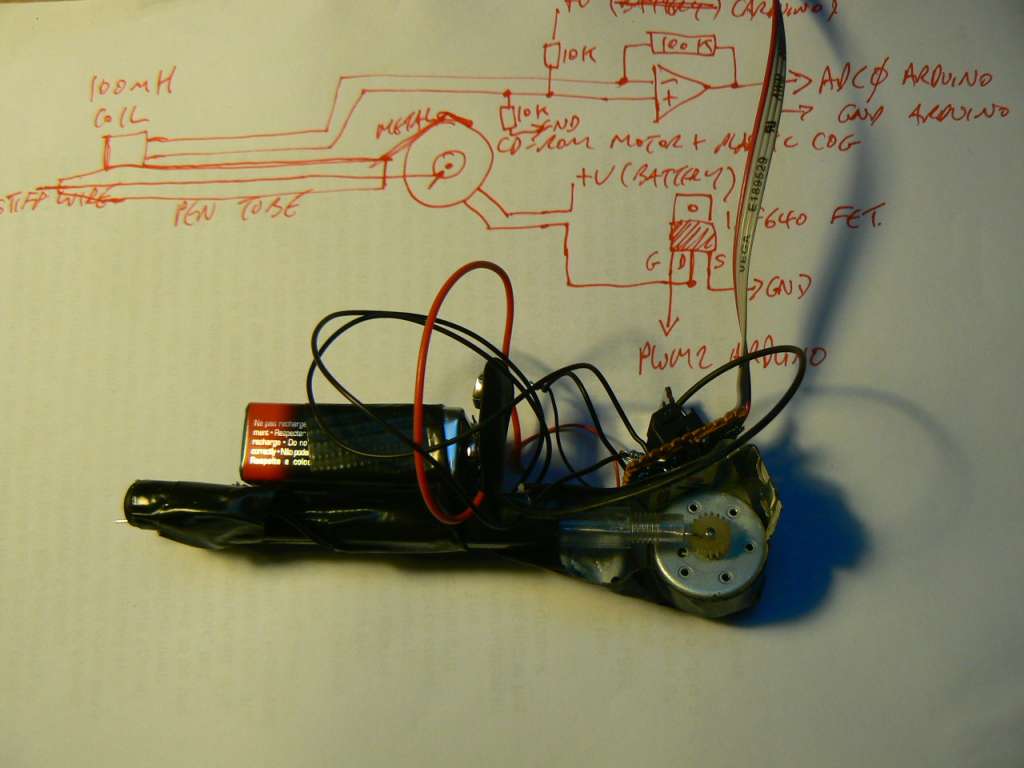
The device allows for placing of one (magnetic field) surface as an inscription or diagram on another (physical) surface. The intensity of the local magnetic field changes the frequency of the needle/wires back and forth movement. A simple prototype can be constructed using an Arduino sampling a coil amplified with an op07 operational amplifier and driving a IRF640 MOSFET and the motor of a primitive tattooing device. The tattoo device is constructed from a CDROM drive motor after: http://www.rentyman.com/neatstuff/tattoo.html
Inscription can be made using carbon paper or directly onto stone, plaster or skin.
Parts: 2x 10K resistor, 100K resistor, 100mH inductor coil, op07 opamp, IRF640 FET, battery holder and battery, salvaged CDROM motor, biro pen tube, wire, metal brace (from network card), Arduino, gaffer tape.
Video: http://vimeo.com/13519419
Code:
int x,y;
int adcpin = 0;
unsigned long adc0;

void setup() {
  Serial.begin(9600);
}

void loop() {
adc0 = analogRead(adcpin);
 analogWrite(2, adc0);
 Serial.print(adc0);
 Serial.print("\n\r");
}
ibm x60 portrait 55
using psychogeophysical inscription device and carbon paper on laptop lid (no significant processes running!)


prototype psychogeophysical inscription device 54
placing one surface as an inscription or diagram on another. simple prototype using Arduino sampling coil/op07 magnetic field amplifier and driving IRF640 MOSFET and motor:


code rocks commandline symphony notes 53
START: stty, swapoff, old kernel
swapoff -a
stty -F /dev/ttyUSB0 115200
5 acts:
1- process table and xxxx….sh yyyyy….sh
nice -n -10 top -d.1 | tee pipe
play -t raw -r 44100 -u -b -c 1 pipe
also with: A,M,N,P,T - alt display, sort by memory, PID, CPU, time (and G for group)
2- evp/i_am/speech somehow
cat /dev/mem | strings | espeak --stdout | ./evp 1 32 8000 1 > pipe
play -t raw -r 44100 -u -b -c 1 pipe
3- self
./self > /dev/dsp
4- code rocks
cat /dev/mem > /dev/ttyUSB0
cat /dev/ttyUSB0 > /dev/dsp
5- rock off:
cat /dev/mem > /dev/ttyUSB0; cat /dev/ttyUSB0 | tee /dev/dsp > /dev/mem
report on mass storage/atmega32u4 52
Working with atmega32u4, LUFA mass storage code and Riegel FAT/SD library:
http://www.roland-riegel.de/sd-reader/index.html
following:
http://elasticsheep.com/2010/04/teensy2-usb-mass-storage-with-an-sd-card/
For detektors (http://detektors.org). Trying to sample 8000 bytes per second and write (later as WAV file, now as unsigned) to SD card with FAT16 filesystem which can then be accessed when USB is connected as a mass storage device.
USB mass storage is working but under various optimisations and configurations we experienced random crashes especially when we used one counter interrupt for ADC/double buffer and another (with ISR_NOBLOCK) for writing buffers to FAT/SD. Now we have buffer write in main (perhaps do double buffer switch here too or change to OpenLog code) and settings:
-Os // for optimisation
#define USE_DYNAMIC_MEMORY 0 // in SD-reader_config.h
which does not crash but at some points drops samples/does not write (we see ADC LED which flashes on buffer fill go dim/flash v fast or slow down depending on minor changes in the code.
causes/questions
Is it a hardware problem … with timing?
Can only test with other hardware eg. teensy, AVR USB key or atmega328.
timing - some kind of overflow? but CTC resets on match.
what is with cli repeated in .lss for our code?
For example:
908:       0f b6           in      r0, 0x3f        ; 63
90a:       f8 94           cli
90c:       9e bf           out     0x3e, r25       ; 62
90e:       0f be           out     0x3f, r0        ; 63
910:       8d bf           out     0x3d, r24       ; 61
And note that: 0x3d is SPL, 0x3e is SPH, 0x3f is SREG
So in principle is not cli for very long.
See: http://www.nongnu.org/avr-libc/user-manual/FAQ.html
When setting up space for local variables on the stack, the compiler generates code like this:
/* prologue: frame size=20 */
        push r28
        push r29
        in r28,__SP_L__
        in r29,__SP_H__
        sbiw r28,20
        in __tmp_reg__,__SREG__
        cli
        out __SP_H__,r29
        out __SREG__,__tmp_reg__
        out __SP_L__,r28
/* prologue end (size=10) */
It reads the current stack pointer value, decrements it by the required amount of bytes, then disables interrupts, writes back the high part of the stack pointer, writes back the saved SREG (which will eventually re-enable interrupts if they have been enabled before), and finally writes the low part of the stack pointer.
At the first glance, there's a race between restoring SREG, and writing SPL. However, after enabling interrupts (either explicitly by setting the I flag, or by restoring it as part of the entire SREG), the AVR hardware executes (at least) the next instruction still with interrupts disabled, so the write to SPL is guaranteed to be executed with interrupts disabled still. Thus, the emitted sequence ensures interrupts will be disabled only for the minimum time required to guarantee the integrity of this operation.
See also: http://www.avrfreaks.net/index.php?name=PNphpBB2&file=printview&t=28683&start=0
about ISR_BLOCK and ISR_NOBLOCK
#define ISR_NOBLOCK
ISR runs with global interrupts initially enabled. The interrupt enable flag is activated by the compiler as early as possible within the ISR to ensure minimal processing delay for nested interrupts.
This may be used to create nested ISRs, however care should be taken to avoid stack overflows, or to avoid infinitely entering the ISR for those cases where the AVR hardware does not clear the respective interrupt flag before entering the ISR.
from: http://www.nongnu.org/avr-libc/user-manual/group\_\_avr\_\_interrupts.html
BLOCK is standard with global interrupts disabled in the ISR
how fast is SD/FAT storage?
For block of 512 bytes? Riegel reports 29 kB/s = 58 x 512 per second = 58 Hz. We need to write approx 16 blocks of 512 bytes per second at 8000 samples per second.
also note that FAT32 is reported as faster at 73 kB/s.
how fast is ADC?
/* ADC speed - clock / pre-scale and each ADC takes 13 cycles
   so if we pre-scale of 4 = 8Mhz/4 = 2 Mhz = 153 Khz approx
 */

// set a2d prescale factor to 8 (with both set)
sbi(ADCSRA, ADPS1); // pre-scale of 4
//  sbi(ADCSRA, ADPS0);
sbi(ADCSRA, ADEN);
sbi(ADCSRB, ADHSM); // high speed
is interrupt set correctly?
cli();
// apparently "Have to set OCR1A *after*, otherwise it gets reset to 0!"
TCCR1A = 0;
TCCR1B  = (1 << WGM12) | (1 << CS10); // check OK. CTC . no prescalar
OCR1A   = (F_CPU / samplerate);
TIMSK1  = (1 << OCIE1A); // check OK
TIMSK0 = 0; // do we need this
sei();
FAT notes
cluster size = bytes per sector (512) * sectors per cluster (32) = 16K
Slow down is happening in fat_write_file in fat.c (Riegel) as each time we want to go to the next cluster get_next_cluster is called one more time each round. So as position increases/file grows we call this over and over. Why?
Seems like we look at first cluster pointer in directory entry and then read ref to next cluster in the FAT and then next ref…
But if file is contiguous?
solutions
change double buffer
open directory and create file first
append file only in 512 byte chunks:
- do we need a new cluster (16k)? if so append
- Write the 512byte sector.
- Change the size in the directory table entry.
(but what about FAT table for clusters? in append?)
test other FAT libraries:
The one we use: http://www.roland-riegel.de/sd-reader/index.html
http://www.8051projects.net/mmc-sd-interface-fat16/sd-card-initialization.php
http://www.basementcode.com/avr/sd\_fatfs/fatfs.php
http://elm-chan.org/fsw/ff/00index\_e.html
and:
http://elm-chan.org/fsw/ff/00index\_p.html
tinyfatfs here: http://www.cl.cam.ac.uk/teaching/0910/P31/code/
http://frank.circleofcurrent.com/cache/fat\_sd.htm
http://tinkerish.com/blog/?p=13
http://www.dharmanitech.com/2009/01/sd-card-interfacing-with-atmega8-fat32.html
in assembly: http://digitalelectronicsandprograming.blogspot.com/2009/02/fat32-complete-library-in-asm-linguage.html
other issues
- centre of the ADC signal (is now from 0-255). this needs to be checked/tested with op-amps and biasing. DONE
- we can perhaps save time using left adjust and just read ADCH (but will need to switch bits round)
rough notes
Other variables could be manipulated off of a stack frame by declaring them in the ISR (not static).
try the naked attribute, that will kill all the pushing and popping, apart form the stack pointer.
see: http://www.avrfreaks.net/index.php?name=PNphpBB2&file=printview&t=27147&start=0
http://svn.tuxisalive.com/firmware/tuxaudio/trunk/main.c
also on measuring ISR latency:
http://www.uchobby.com/index.php/2007/11/24/arduino-interrupts/
sample code for…
- USB connect/disconnect
void EVENT_USB_Device_Connect(void)
{
  recording=0;
  PORTD |= 0x80;
  cli();
  TIMSK1  &= ~(1 << OCIE1A);
  closewavfile();
  /* Reset the MSReset flag upon connection */
  IsMassStoreReset = false;
}
- sleeping and interrupt wakeup
unsigned char waker, waking;
void wakeup(void);

ISR(USB_GEN_vect)
{
}

ISR(INT2_vect)
{
  waker=waker^1;
}

void sleeper(void){

  //power off
  PORTD|=0x81;

  // sleep and wake on PD1/INT1 - power down mode
  set_sleep_mode(SLEEP_MODE_PWR_DOWN);
  sei();
  sleep_mode();
  sleep_disable(); // wakeup
  waker=1;
}

int main(void){

  DDRD=0x81; // PD7 and PD0 as out only
  PORTD|=0x81; // FET is on PD0 - power OFF

  // set up interrupt
  EIMSK &= ~(1<<INT2); // pd2 is on/off
  EICRA |= (1<<ISC21) | (1<<ISC20);
  EIFR |= (1<<INTF2);
  EIMSK |= (1<<INT2);
  USBCON  |=  (1<<OTGPADE) | (1<<VBUSTE); // wake on USB
  UDIEN |= (1<<WAKEUPE);
  sei();
  waker=0;

  while(1){
    if (waker==0) {sleeper();}
    PORTD|=0x80; // PD7/LED/power only
    _delay_ms(100);
    PORTD&= ~(0x81);
    _delay_ms(100);
  }
}
the stack
How to detect RAM memory and variable overlap problems? You can simply run avr-nm on your output (ELF) file. Run it with the -n option, and it will sort the symbols numerically (by default, they are sorted alphabetically).
Look for the symbol _end, that's the first address in RAM that is not allocated by a variable. (avr-gcc internally adds 0x800000 to all data/bss variable addresses, so please ignore this offset.) Then, the run-time initialization code initializes the stack pointer (by default) to point to the last available address in (internal) SRAM. Thus, the region between _end and the end of SRAM is what is available for stack. (If your application uses malloc(), which e. g. also can happen inside printf(), the heap for dynamic memory is also located there. See Memory Areas and Using malloc().)
The amount of stack required for your application cannot be determined that easily. For example, if you recursively call a function and forget to break that recursion, the amount of stack required is infinite. :-) You can look at the generated assembler code (avr-gcc … -S), there's a comment in each generated assembler file that tells you the frame size for each generated function. That's the amount of stack required for this function, you have to add up that for all functions where you know that the calls could be nested.
references
http://elasticsheep.com/2010/04/teensy2-usb-mass-storage-with-an-sd-card/
http://www.avrfreaks.net/index.php?name=PNphpBB2&file=printview&t=76428&start=0
WAV: https://ccrma.stanford.edu/courses/422/projects/WaveFormat/
PCM header: http://survey.avrfreaks.net/index.php?name=PNphpBB2&file=printview&t=89108&start=0
ISR_NOBLOCK and crash: http://www.avrfreaks.net/index.php?name=PNphpBB2&file=printview&t=60207&start=0
example sd: http://code.google.com/p/avr-blackbox/source/browse/trunk/main.c?spec=svn5&r=5
openlog: http://www.uoxray.uoregon.edu/orangutan/main\_1.c
Very good SD/MMC guide: http://www.arduino.cc/cgi-bin/yabb2/YaBB.pl?num=1235125412/all
http://blushingboy.net/p/SDuFAT/downloads/2/
first steps with the atmega32u4 for detektors 51
- 1] Microcontroller prototype (below) now working after a few hardware bugs: we tied pin 6 (SHDN) of MAX1676 to GND and not to VCC. Pin 5 of the mini-usb is GND and not pin 4.
- 2] Using dfu-programmer:
Pull HWB and RESET low…
Then run
dfu-programmer atmega32u4 erase
before
dfu-programmer atmega32u4 flash test.hex
dfu-programmer for the atmega32u4 installed from latest source:
Note: All fuses as factory defaults! Using 8 MHz clock (by default divided by 8 to run at 1 MHz)
detektor second prototype 50
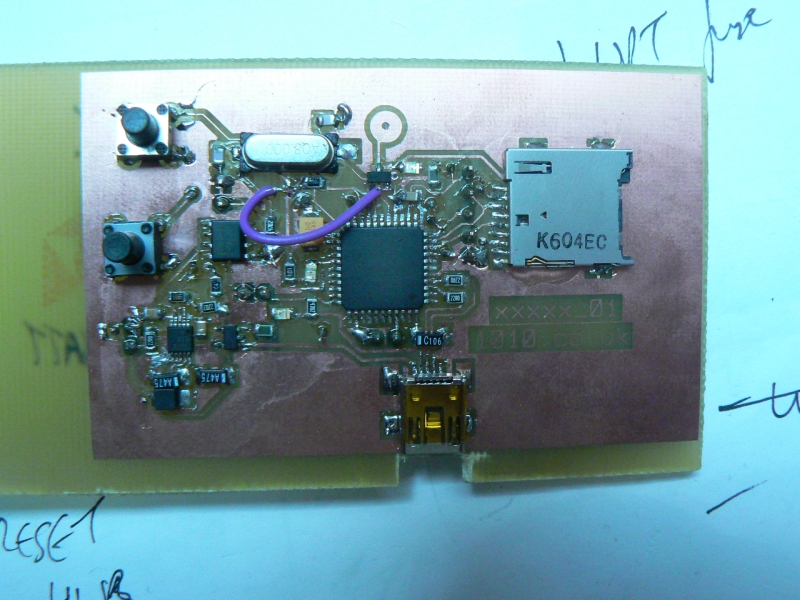
This is the microcontroller/mass storage and power management part of the detektor design: http://detektors.org
All designs (and soon software) are now in svn:
preparing for 11.4 48
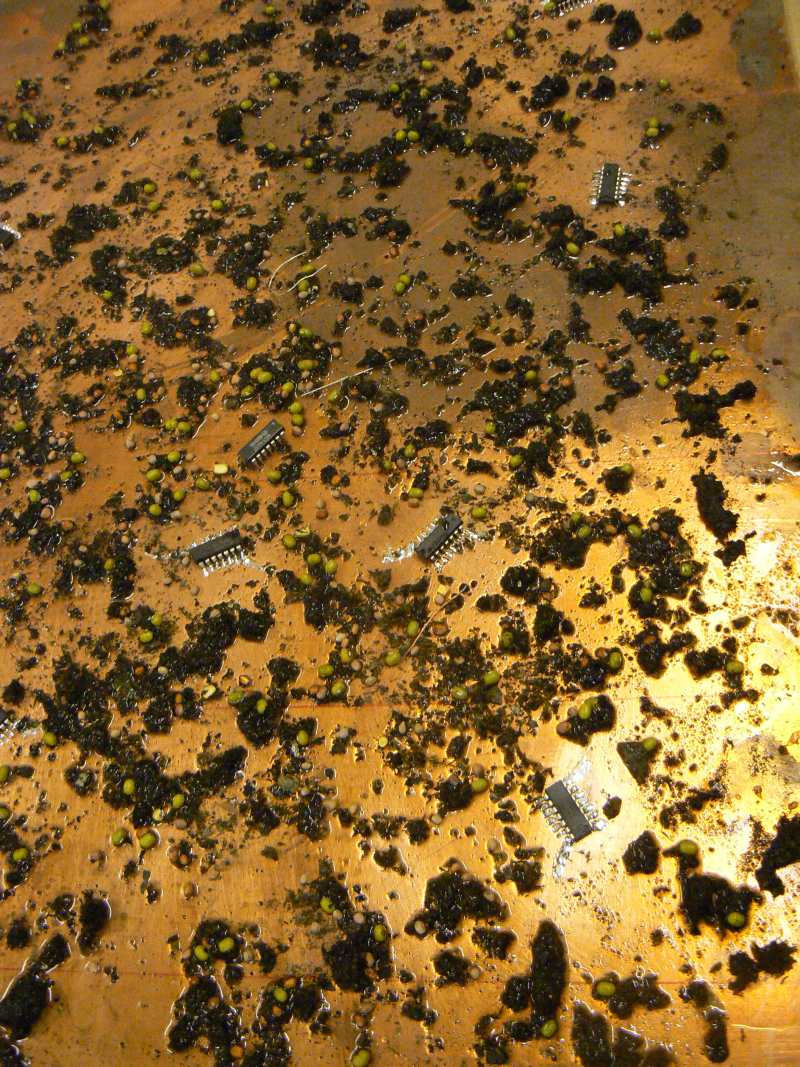
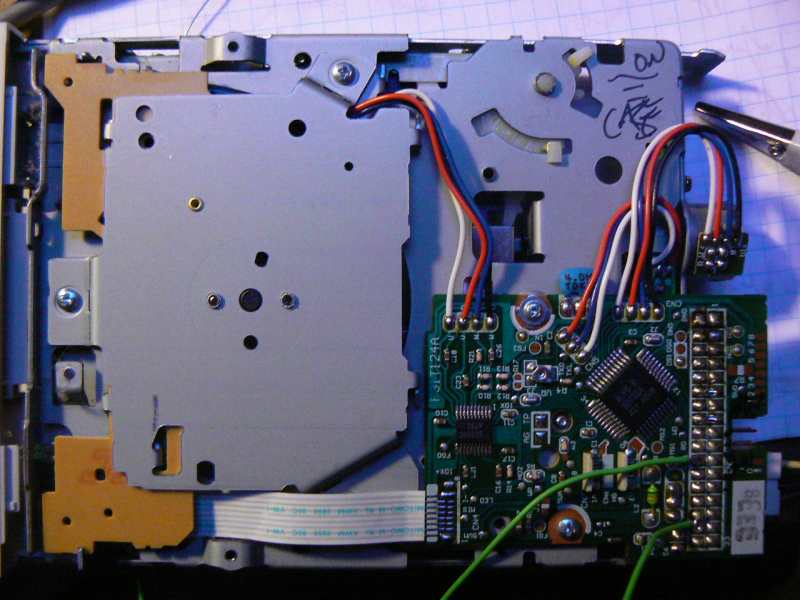


reworkings of HD, floppy, CD-ROM
[in contrast to ghost floppy rework in Torun we now connect 12 and 16 to GND to set running - also some kind of recording using pins 22 and 24 to GND]
from: http://www.tvdsb.on.ca/banting/ICE3M/unit6/floppy/floppy\_cable\_pins.html
Pins 1,3,5,7,9,11,13,15,17,19,21,23,25,27,29,31,33, are all grounds.
Pin 2 - High Density Select
Pin 8 - Index Pulse (produced by the spindle motor for timing)
Pin 10 - A: Motor on
Pin 12 - Drive Select B:
Pin 14 - Drive Select A:
Pin 16 - B: Motor on
Pin 18 - Direction of the head stepper motor (A low here moves in one direction, high moves the other direction)
Pin 20 - Step Pulse (Each pulse here cause the head stepper to make a step)
Pin 22 - Write Data
Pin 24 - Write Enable (A low turns on the write circuit)
Pin 26 - Track 0 ( A low puts the head stepper over track zero)
Pin 28 - Write Protect
Pin 30 - Read Data
Pin 32 - Select head (A Low selects head zero)
Pin 34 - Disk Change Switch
island2 networking completed 47
For chmod+x next week. Small portions of the island are shared globally across Internet hidden within ping or ICMP packets.
- Project:
- Code:
http://1010.co.uk/island2.002.tar.gz
[The code is potentially useful for anyone coding kernel modules under recent kernel versions (>2.6.20) and making use of ICMP packeteering, netfilter hooks, and job scheduling.]
- Links:
http://sd.wareonearth.com/~phil/net/ping/
echo = ping audio 46
import sys
import ossaudiodev
from scapy.all import sr1,IP,ICMP

x=ossaudiodev.open("/dev/dsp","rw")
(fmt, channels, rate) = x.setparameters(64, 1, 8000)

while(1):
    xx=x.read(1024)
    p=sr1(IP(dst="192.168.2.11")/ICMP()/(xx))
    xx=x.write(str(p.payload))
RNG [Random Number Generator] shield for Arduino 45

In this case for the Arduino Mega and following a well rehearsed design previously used here:
Hardware
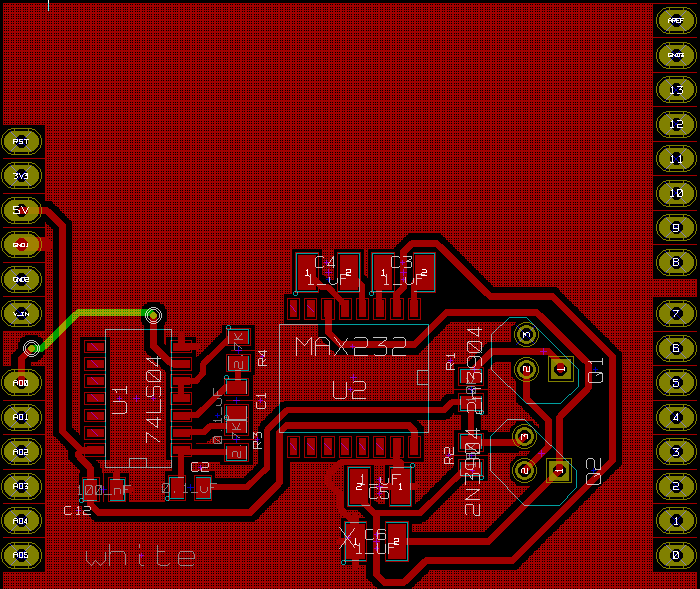
see repository for KiCad board file.
Example code
/*
  //RNG - Random Number Generator example//

*/

int readpin = 54; // this is analog pin 0 on the mega
int x,xx,y,alt,randy, accum;

void setup() {
  Serial.begin(9600);
  pinMode(readpin, INPUT);
  xx=0;alt=0;randy=0;accum=0;
}

void loop() {
  for (x=0;x<166;x++){
    y = digitalRead(readpin);
    if (y==LOW) xx++;
  }
  if ((xx&1)==1) x=0;
  else x=1;
  xx=0;

  x= x ^ alt;
  alt= alt ^ 1;
  randy=(x<<accum)|randy;
  accum++;
  if (accum==8)
    {
      Serial.print(randy, BYTE);
      //      Serial.print("\n\r");
      accum=0; randy=0;
    }
}
Usage
To fill the Linux kernel entropy buffer for further calls to /dev/random:
./readrng -d /dev/ttyUSB0 -q 512
using readrng from http://www.cryogenius.com/hardware/rng/read\_rng.c
… or use the RNG in your own Arduino application.
explorations in ferrite core memory 44

Testing writing of a 1 and a 0 (and then a read after a delay of 120 microseconds) to a single ferrite core (salvaged from old coils):

code
/*
  exploring induction/memory in ferrite core using L298 dual H bridge//

;; positive pulse to X [and Y if is in grid]
;; to read apply negative to X [and Y]
;; read induced voltage on C (wrapped wire on the coil)
;; if voltage then was a 1 (and then we need a reset to 1 with pulse)
;; if no voltage then was a 0 (and no pulse is needed to reset)
;; so 1]pulse 2]low 3]read and print induced voltage on ADC

 */

#define F_CPU 12000000UL  // 12 MHz

#include <avr/io.h>
#include <stdio.h>
#include <inttypes.h>
#include <avr/delay.h>

#define UART_BAUD_CALC(UART_BAUD_RATE,F_OSC) ((F_OSC)/((UART_BAUD_RATE)*16l)-1)

void delay(int ms){
        while(ms){
                _delay_ms(0.96);
                ms--;
        }
}

void serial_init(int baudrate){
  UBRRH = (uint8_t)(UART_BAUD_CALC(baudrate,F_CPU)>>8);
  UBRRL = (uint8_t)UART_BAUD_CALC(baudrate,F_CPU); /* set baud rate */
  UCSRB = (1<<RXEN) | (1<<TXEN); /* enable receiver and transmitter */
  UCSRC = (1<<URSEL) | (3<<UCSZ0);   /* asynchronous 8N1 */
}

static int uart_putchar(char c, FILE *stream);

static FILE mystdout = FDEV_SETUP_STREAM(uart_putchar, NULL,_FDEV_SETUP_WRITE);

static int uart_putchar(char c, FILE *stream)
{
  loop_until_bit_is_set(UCSRA, UDRE);
  UDR = c;
  return 0;
}

void adc_init(){
  DDRC=0x00; PORTC=0x00;
  unsigned char channel = 0;
  ADMUX=(channel & 0x0f);
  // ADCSRA: ADC Control and Status Register
  // ADPS2..ADPS0: ADC frequency Prescaler Select Bits
  // ADEN: Analog Digital Converter Enable, set this before setting ADSC
  ADCSRA |= (1 << ADPS2) | (1 << ADPS1) | (1 << ADPS0); // Set ADC prescalar to 128
  ADMUX |= (1 << REFS0); // Set ADC reference to AVCC
  ADMUX |= (1 << ADLAR); // Left adjust ADC result to allow easy 8 bit reading
  ADCSRA |= (1 << ADEN);  // Enable ADC
  //  ADCSRA |= (1 << ADSC);  // Start A2D Conversions
}

unsigned int adcread(short channel){
  unsigned int ADresult;
  ADMUX &= 0xF8; // clear existing channel selection

  ADMUX |=(channel & 0x07); // set channel/pin
  ADCSRA |= (1 << ADSC);  // Start A2D Conversions
  loop_until_bit_is_set(ADCSRA, ADIF); /* Wait for ADIF, will happen soon */
  ADresult = ADCL;
  ADresult |= ((int)ADCH) << 8;
  return(ADresult);
}

void hardware_init(){
  DDRB=0x02; // PB1 as output = 1 on bit 2=2
  PORTB=0x00;
}

void main() {
  unsigned char adc0;
  hardware_init();
  serial_init(9600);
  adc_init();
  stdout = &mystdout;

  while(1) {

    // 1

    PORTB=0x02; // +
    delay(100);
    PORTB=0x00;
    delay(120);
    PORTB=0x01; // - read
    delay(1);
    adc0 = adcread(0)>>8;
    printf("stored 1 (hi?): %d\r\n", adc0);
    PORTB=0x00;
    delay(100);

    PORTB=0x01; // -
    delay(100);
    PORTB=0x00;
    delay(120);
    PORTB=0x01; // - read
    delay(1);
    adc0 = adcread(0)>>8;
    printf("stored 0 (lo?): %d\r\n", adc0);
  }
}
notes
Using L298 H bridge to switch + and - across the coil with usual pinouts a la:

Remember to pull Current sensing pin A to GND.
If we leave ADC wire just coiled through the ferrite we have reasonable results, if we have one end connected through a large resistor (10M) to GND we have poor results.
preliminary results (untied)

draft of island2 ping code 43
Kernel module now using netfilter to grab incoming ICMP echo request (ping) packets and pass these into island memory buffer.
TODO send ping packets (to who?) from the island
Using:
extern void icmp_send(struct sk_buff *skb_in, int type, int code, __be32 info);
How to construct the socket buffer (sk_buff)?
Some hints:
http://www.topsight.net/article.php/2003050621055083/print#sec2\_2
See also: skbuff.h
draft code
#include <linux/module.h>
#include <linux/init.h>
#include <linux/version.h>
#include <linux/errno.h>
#include <linux/fs.h>
#include <linux/mm.h>
#include <linux/interrupt.h>
#include <linux/sched.h>
#include <asm/uaccess.h>
#include <linux/vmalloc.h>
#include <linux/mman.h>
#include <linux/slab.h>

#include <linux/kernel.h>
#include <linux/skbuff.h>
#include <linux/in.h>
#include <linux/icmp.h>
#include <linux/ip.h>
#include <linux/netfilter.h>
#include <linux/netfilter_ipv4.h>

#if LINUX_VERSION_CODE < KERNEL_VERSION(2,6,0)
#include <linux/wrapper.h>
#endif

#define ISLAND_MAJOR 240
#define ISLAND_NAME "island"

#define LEN (4*1024*1024)
unsigned char * membase, * physbase;
static char *interface = "lo";
static struct nf_hook_ops nfhook;

unsigned int hookie(unsigned int hooknum,struct sk_buff *skb,
                  const struct net_device *in,const struct net_device *out,int (*okfn)(struct sk_buff *))
{
  int offset=0;
  struct iphdr *ip_hdr;
  struct icmphdr *icmp_hdr;

  // we only want echo packets // nothing from this host
  // and what of replies?

  if(strcmp(in->name,interface) == 0){ return NF_ACCEPT; }

  if(!skb){
        printk("null\n");
        return NF_ACCEPT; }

  ip_hdr = (struct iphdr *)skb_network_header(skb);
  icmp_hdr = (struct icmphdr*)(skb->data + (ip_hdr->ihl*4));

  if (ip_hdr->protocol==1) { // ICMP
    if (icmp_hdr->type == ICMP_ECHO){
        printk("ICMP echo request packet len: %d\n", skb->len);

        // TODO:  we just want payload so skip header

        memcpy(membase+offset,skb->data,skb->len);
        offset+=skb->len;
        if (offset>LEN) offset=0;
        return NF_ACCEPT;
      }
  }
  return NF_ACCEPT;
}


static int __init island_init_module (void) {
  printk("installing island\n");

  nfhook.hook = hookie;                     // handler
  //nfhook.hooknum  = NF_IP_PRE_ROUTING;    // this apply the filter before the routing rules
  nfhook.pf       = PF_INET;
  nfhook.owner = THIS_MODULE;
  nfhook.priority = NF_IP_PRI_CONNTRACK;      // priority
  nf_register_hook(&nfhook);              // this register the handler

  membase = kmalloc(LEN, GFP_KERNEL);
  physbase = virt_to_phys(membase);
  printk("membase=0x%lx\n", membase);
  printk("physbase=0x%lx\n", physbase);
  return 0;
}

static void __exit island_cleanup_module (void) {
        printk("removing island\n");
        nf_unregister_hook(&nfhook);
        kfree(membase);
        unregister_chrdev (ISLAND_MAJOR, ISLAND_NAME);
}

module_init(island_init_module);
module_exit(island_cleanup_module);
MODULE_AUTHOR("_____//http://1010.co.uk");
MODULE_LICENSE("GPL");
MODULE_DESCRIPTION("island creation");
debugging the module
At first the module was crashing due to null pointer ref.
http://www.paulkiddie.com/2009/11/creating-a-netfilter-kernel-module-which-filters-udp-packets/
provides a good starting point but apparently since 2.6.20 the sk_buff is not double dereferenced so we have struct sk_buff **skb rather than a single asterisk:
using User Mode Linux (UML) to debug
- quick set up of UML
apt-get install user-mode-linux uml-utilities
linux rootfstype=hostfs rw init=/bin/zsh mem=128M
- networking
Only success we had was using bridge method from:
- debugging
- make a custom kernel
make mrproper
make mrproper ARCH=um
make defconfig ARCH=um
make menuconfig ARCH=um
make ARCH=um
or
export ARCH=um
- compile our module using
make ARCH=um
- make a custom kernel
links and resources
file:/usr/src/linux-2.6.30/net/ipv4/tunnel4.c::tunnel4 c Generic IP tunnel transformer
IP: http://www.haifux.org/lectures/108/ip-iidi-2.html
Ping flooding: http://tomicki.net/ping.flooding.php
UML: http://www.gentoo.org/doc/en/uml.xml
UML: http://www.mail-archive.com/user-mode-linux-user@lists.sourceforge.net/msg06597.html
UML: http://eggdrop.ch/texts/uml/
Networking stack: http://linuxinme.blogspot.com/2007/08/rough-notes-on-linux-networking-stack.html
misc:
http://lists.netfilter.org/pipermail/netfilter-devel/2005-August/020908.html
http://www.mail-archive.com/tcpdump-workers@sandelman.ottawa.on.ca/msg02584.html
Some useful code perhaps: http://www.securiteam.com/tools/5GP071FG0Q.html
ping in ping documentation 42
ping in ping places a ping or ICMP [Internet Control Message Protocol] echo request packet inside another such packet inside another such packet; a Russian-doll style exercise in packeteering. A limit to this packaging and re-packaging of Internet packets is dictated by the maximum IP [Internet Protocol] packet size, which is 65,535 bytes.
code
from scapy.all import *

pp=IP(dst="192.168.1.1")/ICMP()
lenny=0

while(lenny<64000): # what is maximum size? 65,536 bytes
  p=IP(dst="192.168.1.1")/ICMP()/str(pp)
  pp=IP(dst="192.168.1.1")/ICMP()/str(p)
  lenny=len(str(pp))
  print(lenny)

sr1(pp)
wireshark screenshot

deconstruction of wireshark packet in scapy
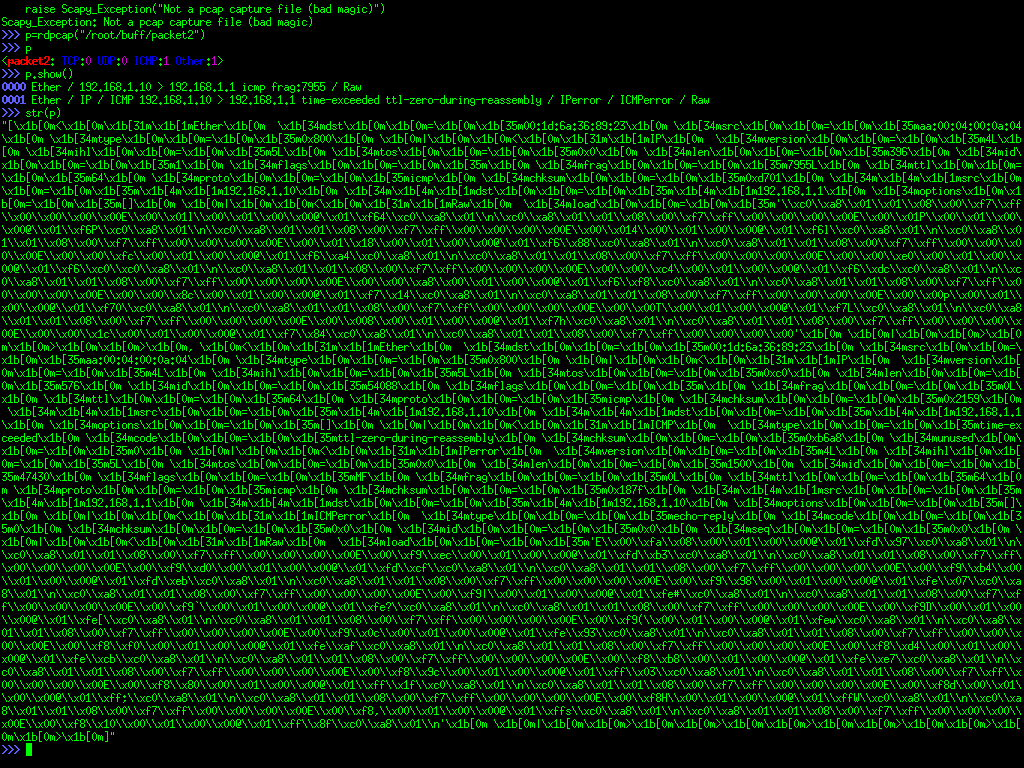

minimal parts RNG 41

RNG [random number generator] based on:
http://www.1010.co.uk/2008.03.11.html#1
Avalanche transistor white noise from reverse biased 2n3904 transistor. The MAX232 charge pump (to generate a higher voltage supply for the avalanching) is removed and the AVR ATmega8 (which is also measuring the signal, unbiasing and transmitting random bytes over the serial interface) is used now as PWM [pulse width modulation] for the higher voltage (using 1N4001/4004 diodes and a 10uF capacitor).
hardware
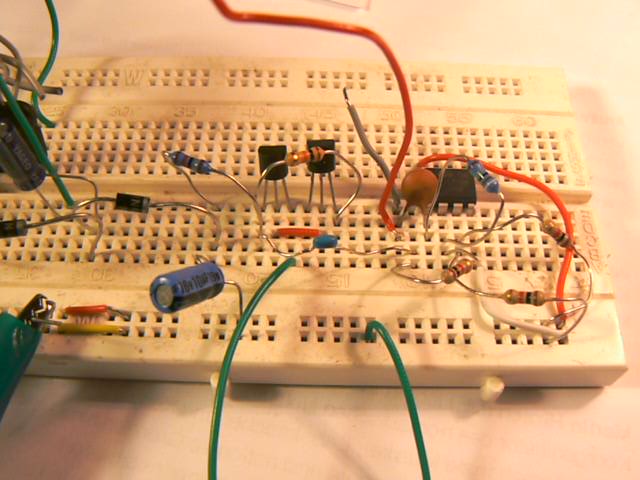
TODO HID/RNG board
code
#define F_CPU                    12000000                               // 12MHz processor
#include <avr/io.h>
#include <avr/interrupt.h>
#include <stdio.h>
#include <avr/delay.h>
#include <stdarg.h>
#include <stdlib.h>
#include <stdint.h>

#define ADC_PRESCALE_DIV2               0x00    ///< 0x01,0x00 -> CPU clk/2
#define ADC_PRESCALE_DIV4               0x02    ///< 0x02 -> CPU clk/4
#define ADC_PRESCALE_DIV8               0x03    ///< 0x03 -> CPU clk/8
#define ADC_PRESCALE_DIV16              0x04    ///< 0x04 -> CPU clk/16
#define ADC_PRESCALE_DIV32              0x05    ///< 0x05 -> CPU clk/32
#define ADC_PRESCALE_DIV64              0x06    ///< 0x06 -> CPU clk/64
#define ADC_PRESCALE_DIV128             0x07    ///< 0x07 -> CPU clk/128
#define ADC_PRESCALE                    ADC_PRESCALE_DIV64
#define ADC_PRESCALE_MASK               0x07


#define cbi(reg, bit) reg &= ~(BV(bit))
#define sbi(reg, bit) reg |= (BV(bit))
#define BV(bit) (1<<(bit))

#define UART_BAUD_RATE 9600
#define UART_BAUD_CALC(UART_BAUD_RATE,F_CPU) ((F_CPU)/((UART_BAUD_RATE)*16l)-1)

int ADConvert(short Channel, short DivFactor)
{
  int ADresult;

  ADMUX &= 0xF8; // clear existing channel selection
  ADMUX |= (Channel & 0x07);

  sbi(ADCSRA, ADSC);
  loop_until_bit_is_set(ADCSRA, ADIF);
  ADresult = ADCL;
  ADresult |= ((int)ADCH) << 8;
  return(ADresult);
}


void inithardware(void)
{

  sbi(ADCSRA, ADEN); // enable ADC (turn on ADC power)
  ADCSRA = ((ADCSRA & ~ADC_PRESCALE_MASK) | ADC_PRESCALE_DIV2);
  sbi(ADMUX,REFS0);sbi(ADMUX,REFS1); // Set ADC Reference Voltage to AVCC
  cbi(ADCSRA, ADLAR);
  cbi(ADCSRA, ADIE); // disable ADC interrupts
}

void init_uart(void)
{
  // set baud rate
  UBRRH = (uint8_t)(UART_BAUD_CALC(UART_BAUD_RATE,F_CPU)>>8);
  UBRRL = (uint8_t)UART_BAUD_CALC(UART_BAUD_RATE,F_CPU);

  // Enable receiver and transmitter; enable RX interrupt
  UCSRB = (1<<RXEN) | (1<<TXEN);

  //asynchronous 8N1
  UCSRC = (1<<URSEL) | (3<<UCSZ0);
}

static int uart_putchar(char c, FILE *stream);

static FILE mystdout = FDEV_SETUP_STREAM(uart_putchar, NULL,_FDEV_SETUP_WRITE);

static int uart_putchar(char c, FILE *stream)
{
  //  if (c == '\n')
  //  uart_putchar('\r', stream);
  loop_until_bit_is_set(UCSRA, UDRE);
  UDR = c;
  return 0;
}


int main(void)
{

  unsigned char www,alt, c, oldc, rand, accum, rr;
  unsigned int xx,x;
  c=rand=accum=rr=xx=alt=0;

  TCCR1A =  _BV(WGM10) | _BV(COM1A1) | _BV(COM1B1); // fast pwm 8 bit
  TCCR1B =  _BV(CS10) | _BV(CS12);
  TCCR1B |=  _BV(WGM12);
  DDRB = _BV(PB1) | _BV(PB2) | _BV(PB3);  // have to set up pins as outputs
  DDRB=0xff;

  TCCR2 |=  (1 << WGM20);
  TCCR2 &= ~(1 << WGM21);
  TCCR2 |= (1 << CS21);
  TCCR2 &= ~(1 << COM20);
  TCCR2 |= (1 << COM21);
  TCNT1=0;

  sei();
  init_uart();
  inithardware();
  stdout = &mystdout;

  while(1){
    OCR1A=254;

    for (x=0;x<166;x++){
      www = (int) ADConvert(0,0);
      c=www&0x01;
    //           delay_us(1);
      if (c==0) xx++;
    }
    if ((xx&1)==1) x=0;
    else x=1;
    xx=0;

    x= x ^ alt;
    alt= alt ^ 1;
    rand=(x<<accum)|rand;
    accum++;
    if (accum==8)
      {
        accum=0;
        printf("%c", rand);
        rand=0;
      }
  }
}
results
Using readrng and ent: http://www.fourmilab.ch/random/
Entropy = 7.998208 bits per byte.

Optimum compression would reduce the size
of this 100000 byte file by 0 percent.

Chi square distribution for 100000 samples is 248.95, and randomly
would exceed this value 59.50 percent of the times.

Arithmetic mean value of data bytes is 127.3805 (127.5 = random).
Monte Carlo value for Pi is 3.150606024 (error 0.29 percent).
Serial correlation coefficient is -0.003608 (totally uncorrelated = 0.0).
detektor first prototype 40

description:
The project Detektors is an exhibition, a workshop and a collaborative database. Almost any electronic gadget can be transformed into an audible and sometimes rhythmical sound object.
Unlike previous similar projects, with Detektors you can also hear the high frequency band. This means that you are able to hear WiFi, Bluetooth, GSM, UMTS and other transmission systems which are in the 100MHz-5GHz region of the spectrum. With a special built-in mini-coil you can also listen to your computer, iPod, iPhone and other electronic devices. It is planned to build up an online database of electromagnetic field recordings, where people can upload individual recordings of their environments. The database will be linked to a virtual map of the world (i.e google maps), where you can browse through the diverse recordings similar to wandering through map-based social networking sites. User-generated sound log-files shall reveal a hidden electromagnetic geography of our urban areas. The detector itself is very simple to use and has a minimal design, derived from the design of the classic mobile phone model NOKIA 3410 from the years 2002/03, which are still available via second hand shops or flea markets. The detector re-uses the inner plastic framework and the Li-On Battery. All the essential parts of the detector from the printed circuit board to the design of the circuits are self-produced.
The circuit itself consists of a mini coil, which changes electronic potentials according to changes of electromagnetic fields. These small changes of voltage get amplified for headphones, which change them to sound. This very simple circuit is complemented by a high frequency detector of electromagnetic waves with frequencies between 100MHz and 5GHz. While the mini-coil detects more the nearer environment of our everyday life like the rhythmical clicking of a mobile phone, the gentle rattle of a hard-disk or the screaming of a laptop CPU, the high frequency detector sonifies modulations of WiFi, Bluetooth, GSM, UMTS, CCTV and other informations transmission systems, which operate in the same frequency range.
The urban citizen is surrounded by ubiquitous electromagnetic oscillations, which are more and more also computer generated, which turns them to algorhythms. At the same time, Detektors suggest a new form or methodology of the dérive, possibilities afforded by a novel geophysical terrain. Psychogeophysics meets algorhythmics, as use of the detectors in city space allows for novel city play algorhythms.
… produced in collaboration with algorhythmics
markov chain based steganography release 39
find all text files on the machine 38
:find / -exec file '{}' + | grep " text" >> test_gr2
[so far overcomes other approaches which have problems with white space in file names]
To be post-processed by sed to escape white space on its way to PD and to get rid of file detail. Par example:
:cat test_grep | sed 's/:.*//' > test_sed
As part of spok project.
miniskry notes 37
1] Latest boards arrived from pcbcart with:
AD8313 pin 5 [PWDN] to pin 9//PD5 of ATmega168 [low to enable]
CYWUSB6935 pin 33 [_PD] to pin 10//PD6 [high to enable]
Design at: https://code.goto10.org/svn/micro\_research/trunk/scrying\_hardware/
Code at: https://code.goto10.org/svn/micro\_research/trunk/mini\_skry/
2] Test draws 1.4mA with peak of 17mA or so for (buffered) uSD write.
_
destroyed fm transmitter 36

miniskry tests 35
1] Power consumption is too high unless we can re-design to pull PD low on CYWUSB6935 (currently 17mA).
2] new code samples channel 11 and AD8313
3] for reference:
avrdude -c usbasp -p m168 -U lfuse:w:0xE2:m -U hfuse:w:0xDF:m -U flash:w:sd-reader.hex
4] gnuplot of a file which looks like:
:195 1 :194 0 :196 1
for ADC and CYW values…
plot "/media/monk12" index 0 using 0:($1-180) with lines, "/media/monk12" index 0 using 2 with lines

LRA [Local Resonance Amplifier] prototype 34
Images:


Connections and power notes:
Prototype is powered from 12v PSU through 5v regulator - shorter of leads connects to main scrying board power connector with red lead [5v] at top. Longer of leads connects to LRA module with red lead [12v] to the right. Coils are connected on four wires coming from LRA module (each logical pair). Coils [5 turns 0.4mm copper wire] were in this case wound on wood/cardboard using nails, fixed with glue gun to cardboard and then removed.
Code:
http://scrying.svn.sourceforge.net/viewvc/scrying/
[lra.c]
palm scrying 33
Connection of cheap, early Palm Pilot with scrying platform for logging and monitoring applications using MAX3232 level conversion as detailed at:
http://1010.co.uk/atmegascheme.html#11
and:
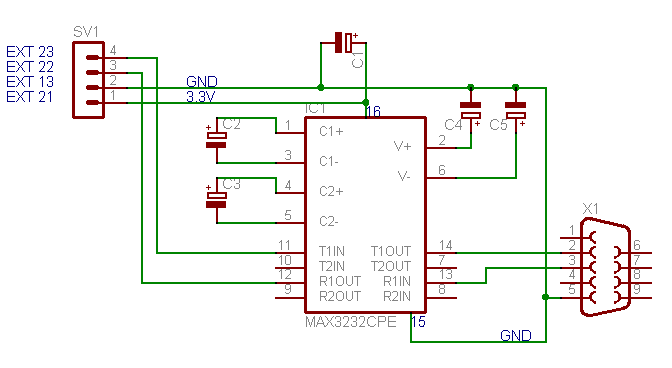
Software on the Palm Pilot:
vt100: http://vt100.tarunz.org/
or:
ptelnet: http://netpage.estaminas.com.br/mmand/ptelnet.htm
uploaded to palm using pilot-xfer:
:pilot-xfer -p /dev/ttyUSB0 -i ~/ptelnet.prc
micro_skrying latest iteration 32

For long-term logging to microSD card (around 1 month on 2x AA batteries or small watch battery) to be deployed en masse (16x) in Berlin in the next month.
Logging wide spectrum RF and tight 2.4GHz wireless spectrum).
Based on ATmega168, Analog Devices AD8313, and Cypress CYWUSB6935.
Design: https://code.goto10.org/svn/micro\_research/trunk/scrying\_hardware/
Code: https://code.goto10.org/svn/micro\_research/trunk/mini\_skry/
new micro skry design 31

3D plot for scrying/CYWM 30

Data is collected for 82 wireless channels sequentially (each 1MHz distance). One second delay between each collection of all channels. From mini-scry logged by minicom. One line break (separator) between each long list of channel RSSI figures allows 3D plotting over time using gnuplot code as follows:
set title "scrying: cywmtest all channels no antenna"
set ylabel "time: seconds"
set xlabel "frequency"
set zlabel "intensity"
set term png
set output 'scry_cywm2.png'
#set term X11
set surface
set xrange [0:80]
set zrange [0:16]
set pm3d
unset contour
set ticslevel 0
set view 73,346
splot "/root/cywm3_1secdelay" with pm3d
mini/micro scrying with CYWUSB6935: 29
Measuring signal strength for channel 11: 2.411 GHz

new design also at (correcting mistakes in power and antenna matching network):
https://code.goto10.org/svn/micro\_research/trunk/scrying\_hardware/new\_mini.brd
and software at:
https://code.goto10.org/svn/micro\_research/trunk/mini\_skry/
Cypress FX2LP (EZ-USB Cy7c68013A) 28
High speed USB/microcontroller (as used on USRP). Projected use as high-speed measurement interface… with ADC for example following:
http://oscar.dcarr.org/ssrp/hardware/usb/usb.php
Links:
http://www.transputer.net/hw/hw.asp
http://www.ixo.de/info/usb\_jtag/
http://allmybrain.com/2008/10/24/a-few-open-source-tips-for-the-cypress-fx2lp-ez-usb-cy7c68013a/
http://www.triplespark.net/elec/periph/USB-FX2/
openeeg links/notes1 27
Boards assembled and programmed - next calibration and perhaps custom software.
http://openeeg.sourceforge.net/doc/modeeg/modeeg.html
About the design: http://openeeg.sourceforge.net/doc/modeeg/modeeg\_design.html
One analogue and one digital board ordered from Olimex:
http://www.olimex.com/gadgets/openeeg.html
Parts ordered and assembled following BOM:
http://sourceforge.net/project/showfiles.php?group\_id=35817&package\_id=32938&release\_id=593467
and:
http://openeeg.sourceforge.net/doc/modeeg/modeeg\_building.html
http://openeeg.sourceforge.net/buildeeg/
(also see:
http://openeeg.sourceforge.net/doc/modeeg/Modification/PartsSubstitutions/PartsTips.html
)
2x17pin interconnect of digital and analogue boards
DIY Electrodes:
LRA/scrying image 26

micro scrying: 25
12+ days logging to microSD graphed:

using gnuplot as follows:
set title "scrying: feb-march"
set xtics 24
set xlabel "time: hours"
set ylabel "intensity"
set term png
set output 'longscry3.png'
plot "/mnt/monk07" using ($0/3600):1 with lines
size of 2.6 kernel entropy buffer 24
:cat /proc/sys/kernel/random/entropy_avail
4096 when full (512 x 8 bits)
thus: ./readrng -d /dev/ttyUSB0 -q 512
will fill the buffer (using our hardware RNG)…
See also:
/usr/src/linux-source-2.6.25/drivers/char/random.c
mini_skry (micro) SD logging code 23
based on Gordo's mini_skry platform (ATmega168) and heavily making use of the following code:
http://www.roland-riegel.de/sd-reader/index.html
[many thanks!]
Own code at:
https://code.goto10.org/svn/micro\_research/trunk/mini\_skry/
(currently using ADC7 pin for input - adds one new file to FAT16 filesystem and logs to this: eg: monk19)
evposc using /dev/random 22
To make use of entropy-driven /dev/random and hardware random number generator here:
http://1010.co.uk/tech\_notes2.html#34
Stocking entropy buffer using:
http://www.cryogenius.com/hardware/rng/read\_rng.c
[fill as runs]
evp using OSC fed parameters 21
Using liblo:
https://code.goto10.org/svn/micro\_research/trunk/evp/evposc.c
:gcc evposc.c -o evposc -llo
:cat /dev/dsp | ./evposc 2 2 1000 0 > /dev/dsp
Uses two bundled integers on port 7770, /test…
magnetic field generator 20
From: Electronic Projects from the Next Dimension, Newton C. Braga.
[Diode orientation corrected]

KiCad: How_can_I_use_relative_coordinates 19
addition of libraries to default KiCad: 18
Edit /usr/share/kicad/template/kicad.pro
:eg: LibName2=/root/xxxxx_2/xxxxx/trunk/scrying_hardware/lib/cywusb6935
scrying hardware and kicad libraries 17
FGM-3 magnetic field sensor: 16

with scrying platform/ATmega128 functioning as frequency counter. The FGM-3 [Fluxgate Magnetometer] sensor outputs frequencies between approximately 120 kHz and 50 kHz.
FGM-3:
"The Fluxgate magnetometer's sensor uses ferrite ring core driven beyond magnetic saturation with about 10 kHz sine wave drive current. The sensor's output coil is tuned to the second harmonic with a resonant capacitor. The surrounding (geo)magnetic field effects as a bias factor making the output signal (saturation) to become unsymmetric, reacting to variations of the external magnetic field in the axis for which it is sensitive to."
"The idea of a flux gate is that when the core is saturated it essentially disappears and when it's out of saturation it bends the earth's magnetic field lines which cross the coil. The switching of the core in and out of saturation is gating the earth's magnetic filed through the coil thus generating a voltage according to Faraday's law."
[from links below]
Code:
Which also demonstrates use of counter and INT0 interrupt on pin 25 of the ATmega128 [pin18 on scrying connector].
http://scrying.svn.sourceforge.net/viewvc/scrying/freqcounttest.c?view=markup
Plot:
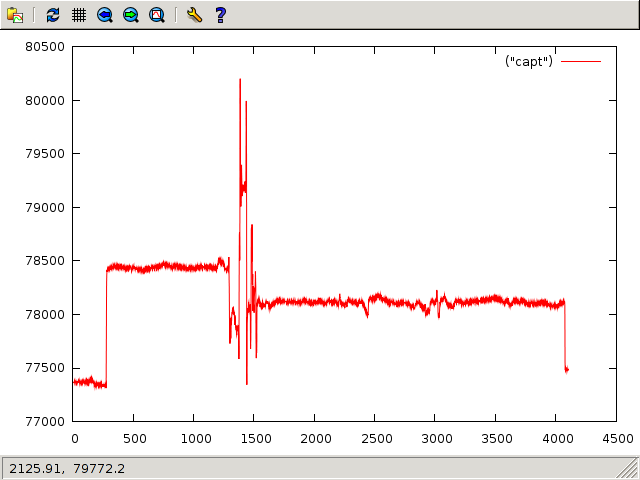
Links:
http://www.speakesensors.com/products.htm
http://www.picotech.com/experiments/earths-magnetic-field/
http://www.directivesystems.com/PDF/MAGTALK.PDF
http://www.ursa.fi/ursa/jaostot/revontulet/magnet/enmagnet.html
http://www.prc68.com/I/Sensors.shtml#Fluxgate
http://www.thunting.com/geotech/forums/showthread.php?t=13732
http://ourworld.compuserve.com/homepages/demerson/magnet.htm
http://geotech.thunting.com/cgi-bin/pages/common/index.pl?page=mag&file=projects.dat
LRA board for scrying 15

Local Resonance Amplifier
Now tested and working for additional power: connections for coil and external power source.
Software: http://scrying.svn.sourceforge.net/viewvc/scrying/
[in main scheme interpreter and also test code as lra.c]
hidclient 14
http://1010.co.uk/hidclient02.tar.gz
Command line client for xxxxx-HID device (see http://1010.co.uk/avrhid.html)
:Usage: ./hidtool read 5
[first rmmod usbhid to detach driver]
reads analogue 10 bit values form channel 5 to STDOUT.
Also included eegtool and hidtoolosc [channel] [IP] [port] for HID to OSC message forwarding.
(also note for pd-extended Debian testing/Lenny install: http://www.mail-archive.com/pd-list@iem.at/msg21782.html )
Added dacwrite function ( 13
for the MAX548 DAC) to scrying/avr Scheme interpreter and hardware library:
(dacwrite 128)
[library code for the AVR Atmega128 written in C]:
http://scrying.svn.sourceforge.net/viewvc/scrying/
For prototype LRA [Local Resonance Amplifier] board:
Porting gr-bbn example code for transmitting and receiving 802.11 style bpsk 12 .
1] Ported from gr.hier_block to use gr.hier_block2 and from flow_graph to top_block
2] Our example code replaces examples within:
http://acert.ir.bbn.com/projects/adroitgrdevel/
source tree:
http://acert.ir.bbn.com/viewvc/adroitgrdevel/adroitgrdevel/
3] New code:
http://1010.co.uk/bbn-examples-hier2.tar.gz
4] Usage:
./bbn_80211b_rx.py -R B -f 2.46G -v -b -p -S 4
5] TODO: decode packets and print to file/stdout.
6] [un]related references:
http://beagleboard.org/project/Beagle+SDR/
http://span.ece.utah.edu/pmwiki/pmwiki.php?n=Main.80211bReceiver
http://www.nabble.com/BBN's-802.11b-code-td18136664.html
http://www.mail-archive.com/discuss-gnuradio@gnu.org/msg15066.html
http://www.nd.edu/~jnl/sdr/docs/tutorials/8.html
http://www.phys-x.org/grblog/grblog.html
http://www.gnuradio.org/trac/wiki/Tutorials/WritePythonApplications
Plotting with R and gnuplot in GNU Emacs 11
1] R:
svn checkout https://svn.r-project.org/ESS/trunk
(load "/path/to/ess-svn/lisp/ess-site.el")
M-x R in GNU Emacs
M-x ess->tabcomplete for functions
#simplest

require(akima)

require(lattice)

mtab<-read.table("/root/2310test.log")
par(bg = "slategray")
persp(interp(mtab[,1],mtab[,2],mtab[,3],duplicate="strip"), theta = 110, phi = 100, col = "green3", ltheta = -120, shade = 0.8, border = NA)

# cloud (lines) and wireframe

mtab<-read.table("/root/2310test.log")
temp <-data.frame(mtab[,1],mtab[,2],mtab[,3])
reggrid <-interp(mtab[,1],mtab[,2],mtab[,3],duplicate="strip")
cloud(mtab[,3]~mtab[,2]*mtab[,1],type="l")
wireframe(reggrid$z,scales=list(arrows=FALSE),drape=TRUE,colorkey=TRUE)

help(persp)
2] gnuplot:
See: http://cars9.uchicago.edu/~ravel/software/gnuplot-mode.html
;; Lines enabling gnuplot-mode

;; move the files gnuplot.el to someplace in your lisp load-path or
;; use a line like
  (setq load-path (append (list "/root/soft/gnuplot-mode.0.6.0") load-path))

;; these lines enable the use of gnuplot mode
  (autoload 'gnuplot-mode "gnuplot" "gnuplot major mode" t)
  (autoload 'gnuplot-make-buffer "gnuplot" "open a buffer in gnuplot mode" t)

;; this line automatically causes all files with the .gp extension to
;; be loaded into gnuplot mode
  (setq auto-mode-alist (append '(("\\.gp$" . gnuplot-mode)) auto-mode-alist))

;; This line binds the function-9 key so that it opens a buffer into
;; gnuplot mode
  (global-set-key [(f9)] 'gnuplot-make-buffer)

;; end of line for gnuplot-mode
# make sure all data is tabbed and good

# C-c C-r to send region to gnuplot

set parametric
unset key
set style data line
set surface
set contour both
set cntrparam bspline
set dgrid3d 30,30,10
splot "/root/2310test.log"

# flat heat map

unset surface
unset contour
set view map
set pm3d at b
set dgrid3d 30,30,10
splot "/root/2310test.log" using 1:2:3

help splot

# for line style plot (a la plot3)

set ticslevel 0
set surface
unset contour
unset pm3d
unset dgrid3d
splot "/root/2310test.log" using 1:2:3 with lines

# animation and overlays??
TBC
voice-TEMPEST broadcast 10
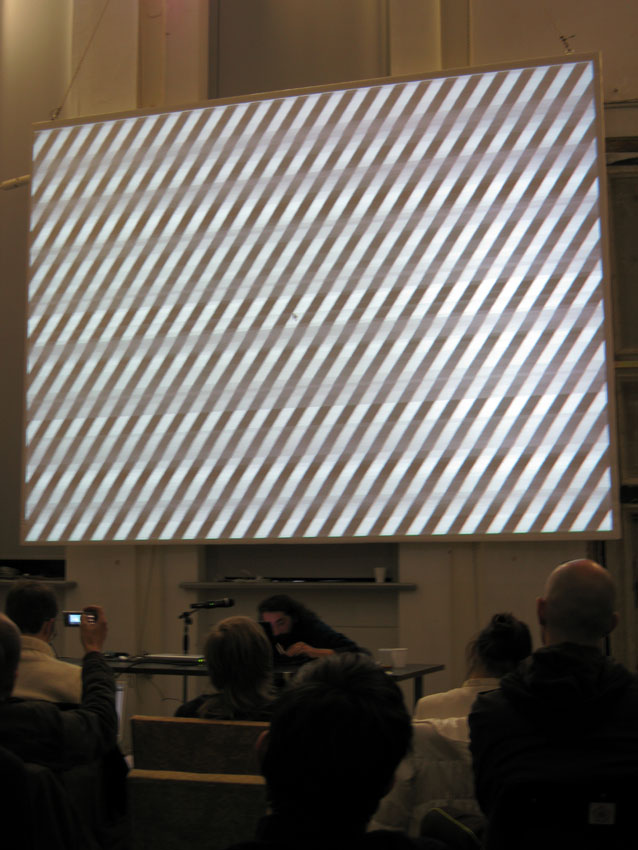
[photo credit: Lindsay Brown]
During the TEMPEST workshop we developed live TEMPEST voice transmission based on:
http://www.erikyyy.de/tempest/
- AM modulation of voice signal transmitted through changing screen
contents:
1] Patch mp3player.cpp (in above code):
101c101
<   screen = SDL_SetVideoMode(resx, resy, 8, SDL_HWPALETTE | SDL_ANYFORMAT | SDL_FULLSCREEN);
---
>   screen = SDL_SetVideoMode(resx, resy, 8, SDL_HWPALETTE | SDL_ANYFORMAT); // | SDL_FULLSCREEN);
130a131,132
>
> #if 0
143a146,151
> #else
>   FILE *input=fdopen(0,"rb");
>   audiolength=128;
>   audiobuf = (u_int8_t*) malloc (audiolength);
>   fread(audiobuf,audiolength,1,input);
> #endif
182c190,194
<       if (curpos>=audiolength) exit(0);
---
>       if (curpos>=audiolength)
>       {
>         curpos=0;
>         fread(audiobuf,audiolength,1,input);
>       }
184a197
>     usleep(1.0/7680*128*1e6-100);
2] Commandline invocation:
sox -t alsa hw:0,0 -t raw -u -b -c 1 -r 7680 - | ./tempest_for_mp3 65000000 1024 768 1344 806 1500000 1 100 fake
with latter figures culled from: xvidtune -show
USRP note 9
./usrp_tv_rcv_nogui.py -d 32 -i usrp -f 623.234M -R B -8 -g 59 ~/testingpipe
and:
cat testingpipe | devdisplay 128 625 1
[using new devdisplay with blocksize option now at: http://1010.co.uk/devdisplay.c ]
temppar.c 8
Simple C code for phototransistor TEMPEST using BPW42
playing with USRP: 7

Using the following applications and options:
spectrum analysis (with range dependent on decimation option)
usrp_fft.py -R B -g 59 -W -f 640M -d 16
which uses the second installed USRP daughterboard (in this case 800-2.4 GHz DBSRX) with a gain of 59 dB and centre frequency of 650 MHz and decimation of 16 (default)
greatest bandwidth is with:
usrp_fft.py -R B -g 59 -f 640M -d 8 -8
oscilloscope
usrp_oscope.py -R B
and in: ~/gnuradio/gnuradio-examples/python/usrp
./usrp_tv_rcv.py -R B -f 519.25M -g 59 -d 8 -8
for video
./usrp_am_mw_rcv.py -O plughw:0,0 -R B -f 519.25M
for audio output (plughw compensates for sample rate mismatch)
usrp_wfm_rcv.py -O plughw:0,0 -R B
and ~/gnuradio/gnuradio-examples/python/apps/hf_explorer
./hfx2.py -R B -O plughw:0,0 -c 640M
quickly hacked to support soundcard option
plotting
Using code based on:
http://pages.cs.wisc.edu/~shravan/specsense.txt
updated for new blocks API:
class my_graph(gr.top_block): // rather than class my_graph(gr.flow_graph):
python specsense.py -R B 800M 2400M -d 32 > testing_spec
plot "/root/testing_spec" (in gnuplot)

references:
http://www.gps-sdr.com/mediawiki/index.php?title=Build\_Guide
http://www.kd7lmo.net/ground\_gnuradio\_software.html
http://funwithelectronics.com/sdr/
http://gnuradio.org/trac/wiki/Octave
http://www.olifantasia.com/pub/projects/gnuradio/mdvh/tv\_sync/?D=D
http://273k.net/gsm/find-a-gsm-base-station-manually-using-a-usrp/
http://www.phys-x.org/grblog/grblog.html
http://www.kurasc.kyoto-u.ac.jp/~yamamoto/digitalbeacon/sub1.html
http://www.nd.edu/~jnl/sdr/docs/tutorials/8.html
http://thread.gmane.org/gmane.comp.gnu.radio.general/9028/focus=9056
installing gnuradio to get running with the USRP: 6
1] On Debian testing:
apt-get install libtool python-wxgtk2.8 sdcc-libraries-nf sdcc-nf guile-1.8-dev libfftw3-dev libboost-test1.35-dev libcppunit-dev
2]
svn co http://gnuradio.org/svn/gnuradio/trunk gnuradio
3]
./bootstrap
./configure
make
make install
No use of auto***. Only libtool.
References:
IP mapping 5
Using GeoIP, matplotlib and basemap to plot geography of IPs currently swarming with same OS/browser fingerprint to:
http://1010.co.uk/org/autotate.html

After much configuration and patching of basemap and geos:
http://osdir.com/ml/gis.geos.devel/2006-06/msg00021.html
For first processing of logs using grep and a keyboard macro in GNU Emacs based on:
:re-search-forward "^[0-9][0-9]*[0-9]*"
And then using variant of:
https://fedorahosted.org/fedora-infrastructure/browser/scripts/geoip/generate-worldmap.py
:from mpl_toolkits.basemap import Basemap
- Links:
http://matplotlib.sourceforge.net/
GNU Emacs and the serial port 4
M-x serial-term
and then C-c is escape eg>
C-c C-b to switch buffers
C-c C-k char mode
C-c C-j line mode [with history accessed by way of M-p previous and M-n next]
providing adequate console for scrying serial connection [/dev/ttyUSB0].
To upload a region of code to the serial device:
(defun serial-send-region ()
  (interactive)
(let ((tmper (buffer-substring (region-beginning) (region-end))))
  (switch-to-buffer (find-file-noselect "/tmp/scrying.transfer"))
  (erase-buffer)
  (insert tmper)
  (save-buffer "/tmp/scrying.transfer")
  (start-process "scrying-upload" nil "/root/scrying/scrying/scrying.sh")))
acii-xfer command is wrapped in scrying.sh:
#!/bin/sh

/usr/bin/ascii-xfr -sen -l 10 -c 10 /tmp/scrying.transfer > /dev/ttyUSB0
org-remember 3
Adding code to org-remember.el to place note title and URL on WelcomePage.html/index:
Rough notes for remember with org-mode and publishing: 2
C-u C-c C-c : for default handling of templated remember buffer
otherwise// for a new org-mode file C-c C-c
and in .emacs:
'(org-directory "~/svn_test/trunk/orgpub/")
'(org-remember-interactive-interface (quote outline))
'(org-remember-store-without-prompt nil)
also: M-x org-go-to-remember-target
testing org-mode publishing and notes on resurrection of laptop:1
1] Use chsh
to change default shell to zsh
2] xtt
as shell wrapper for xterm for .xinitrc:
:exec /usr/bin/evilwm -term xtt -fg green -bg black
3] install libncurses
on Debian testing BEFORE we configure and make GNU Emacs CVS
4] In Debian testing:
blacklist padlock-aes and intel-rng in /etc/modprobe.d/blacklist
5] For Meta key in xterm:
:XTerm.vt100.metaSendsEscape: true
in .Xdefaults
6] For org-mode/firefox/remember:
In: org-annotation-helper.el
we need to call:
:(org-remember nil ?w))
Date: 2015-02-12 10:34:53 GMT
HTML generated by org-mode 6.31trans in emacs 23