macivory/LispM notes
earlier notes (4 or 5 years ago)
acquired macivory/mac II (th. to http://mitpress2.mit.edu/e-journals/Leonardo/gallery/gallery332/johnson.html nigel johnson
need to get 9pin d-type (on nuvista card) → vga (or to composite) cable as only have 9pin->RGB+sync (or get suitable monitor for this or different card?)
will add stuff as soon as get up and running
now have RGB+sync monitor but no image probably monitor not workin - will try cable (must be monitor -look into rgb conversion box) (have tried removing most cards etc - no luck)
links: http://kogs-www.informatik.uni-hamburg.de/~moeller/symbolics-info/symbolics.html lisp machines stuff
http://fare.tunes.org/LispM.html ADD_DATE="1056493450" LAST_CHARSET="ISO-8859-1" A few things I know about LISP Machines
++++++++++STOP PRESS++++++++++
booting:
Thanks to the sterling efforts of the London Mac Angels, the Mac Ivory rides again ….
now 'ow the 'ek does one break the username password combination?
more help needed …
--mh - don't think we need to login (maybe)Starting and Stopping the LISP Machine
form link:
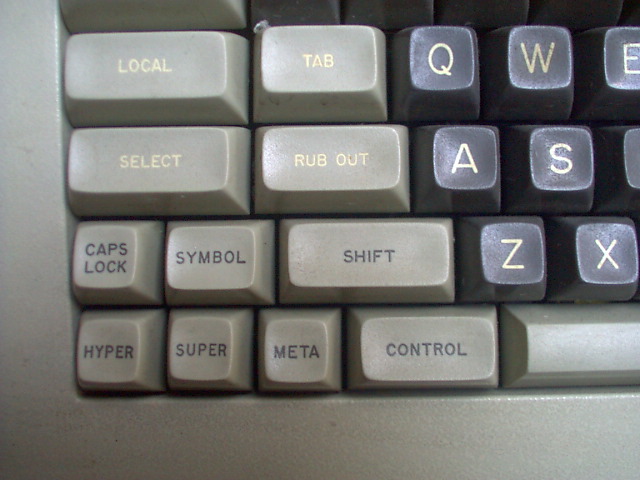
To boot up Genera, click on the "Start Genera" icon on the desktop. It takes a few minutes to boot up. After you get the Genera screen, type "login", hit the space bar and enter "lisp-machine" (automatically capitalized as Lisp-Machine as the machine recognizes the login). Press the SELECT key and the D key. This will bring up the Document Examiner and give you access to the full documentation set. SELECT and L will take you back to the Lisp Listener. Do not be afraid to make extensive use of the HELP key. There is a lot of context sensitive help in Genera.
To properly exit Genera, you should enter "logout" then "halt machine". This will drop you back to the FEP. Then enter "shutdown". This will halt Lisp and take you back to the Mac desktop.
::
backed up some of macivory stuff - now backing up using atalk/netatalk → artificial <br> cards are now on quadra but needs external supply to spin up the big drive !
new links
notes on getting up and running
beyond
Date: 2009-12-31 15:46:36 GMT
HTML generated by org-mode 6.31trans in emacs 23